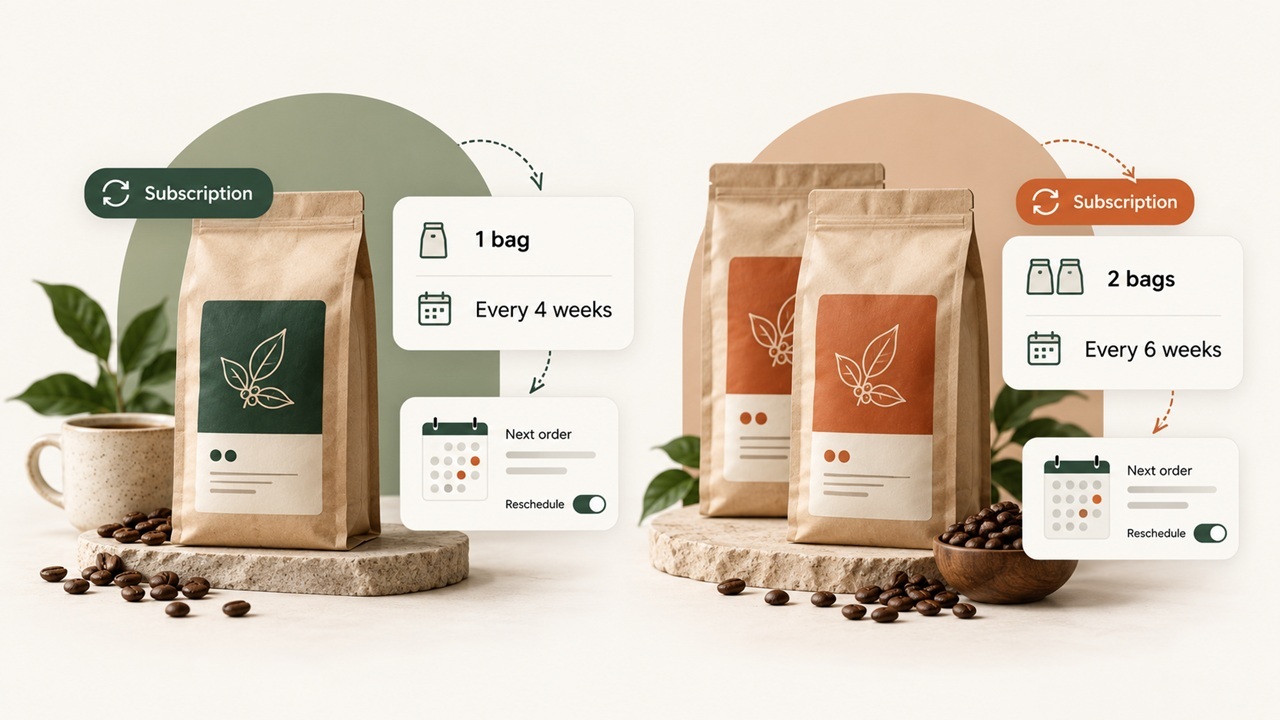
Shopify has a free subscription app for stores selling products on a recurring schedule. It covers basic subscription orders, customer management, and recurring payments. But if you want customers to build their own subscription boxes, purchase prepaid plans, or swap products between deliveries, you may need another app.
The cost can vary considerably. Some Shopify subscription apps charge less than $10 per month, while others charge hundreds of dollars plus a percentage of subscription revenue. Features also vary by plan. An app might advertise build-a-box subscriptions but reserve that feature for a higher-priced tier.
We’ve compared 15 Shopify subscription apps based on their features, pricing, and the types of subscriptions they support. Prices and ratings were checked against Shopify App Store listings on October 28, 2026.
AI insight extraction
Reading article context…
Key takeaways
- Best for basic subscriptions: Shopify Subscriptions is free and works well for straightforward recurring orders, but it doesn’t support subscription bundles.
- Best budget-friendly options: Recurpay starts at $9/month, Seal at $5.95/month, and Appstle at $10/month, with different usage limits and pricing structures.
- Best for subscription boxes: Appstle, Loop, Subify, Easy Subscriptions, and Joy support build-a-box subscriptions, although some require higher-priced plans.
- Best for growing brands: Loop, Recharge, and Skio offer advanced subscription management, customer portals, and retention features, but their monthly and transaction fees can be higher.
- Pricing goes beyond monthly fees: Some apps charge a percentage of subscription revenue or a fee per order. Compare total costs based on your expected sales volume.
- Test before choosing: Check recurring checkout, product swaps, failed-payment recovery, cancellation flows, and payment compatibility before committing to an app.
15 Shopify subscription apps compared
The best Shopify subscription apps for your store will depend on how you sell subscriptions and how much you’re willing to spend.
Some apps charge a fixed monthly fee. Others calculate pricing based on subscription revenue, the number of subscribers, or the number of orders processed. Apps that charge a percentage of revenue can become considerably more expensive as sales increase.
| App | Starting price | App transaction fee | Pricing basis | Rating |
|---|---|---|---|---|
| Shopify Subscriptions | Free | 0% | Free native app | 5.0 |
| Recurpay | $9/month | 0% on paid plans | Fixed monthly fee | 4.9 (500+ reviews) |
| Seal | Free, paid from $5.95/month | 0% | Subscription count | 4.9 (3,150 reviews) |
| Appstle | Free, paid from $10/month | 0% on paid plans | Subscription revenue | 5.0 (9,100+ reviews) |
| Easy Subscriptions | Free, paid from $39/month | 0% | Lifetime subscription orders | 5.0 (214 reviews) |
| Joy | Free, paid from $49/month | 0.75% or 0.5% | Monthly fee + revenue share | 4.9 (463 reviews) |
| PayWhirl | Free, paid from $9/month | 0.75% to 3% | Monthly fee + revenue share | 4.7 (191 reviews) |
| Bold | $24.99/month | 0.9% to 2% | Monthly fee + revenue share | 4.0 (381 reviews) |
| Subify (Subi) | Free, paid from $29/month | 0.4% to 1.6% | Monthly fee + revenue share | 4.9 (930 reviews) |
| Loop | Free, paid from $99/month | 0.75% to 1% | Monthly fee + revenue share | 5.0 (699 reviews) |
| Smartrr | $99/month | 1% of subscriber GMV | Monthly fee + revenue share | 4.9 (71 reviews) |
| Recharge | $99/month standard plan | 1.49% + $0.19/order | Monthly fee + transaction fees | 4.8 (2,000+ reviews) |
| Awtomic | $299/month listed Growth plan | 1% | Monthly fee + revenue share | 5.0 (36 reviews) |
| Stay AI | $499/month | 1% + $0.19/order | Monthly fee + transaction fees | 5.0 (139 reviews) |
| Skio | $599/month or $499/month annually | 1% + $0.20/order | Monthly fee + transaction fees | 5.0 (234 reviews) |
These prices exclude Shopify payment processing fees, taxes, implementation costs, and additional services. Free plans and lower-priced tiers may also limit the number of subscribers or available features.
For example, Recurpay charges $9 per month on its Launch plan without taking a percentage of subscription revenue. Recharge’s Starter plan costs $99 per month, plus 1.49% of subscription revenue and $0.19 per transaction. At higher order volumes, those extra charges make a substantial difference.
We’ll compare the actual monthly costs later.
Choose an app based on your subscription model
Start with the type of subscription you intend to sell.
If customers receive the same product every few weeks, most subscription apps can handle the recurring order. You’ll mainly need to compare delivery schedules, payment retries, and what customers can change through their accounts.
A subscription box needs additional features. For example, a store selling a monthly coffee box might let customers choose six products from a selection of twenty. The app must support product selection, minimum quantities, and pricing rules. It should also handle product swaps when an item becomes unavailable.
Appstle, Loop, Subify, Easy Subscriptions, Joy, and Awtomic offer subscription box features, although their pricing and plan requirements differ.
Prepaid subscriptions work differently. A customer might pay for six monthly deliveries upfront or purchase a subscription as a gift. The app needs to track the remaining deliveries and stop the subscription at the agreed time. Gift subscriptions may also need separate details for the purchaser and recipient.
Memberships are another category. Some apps offer memberships and gated access, but the comparison here focuses mainly on physical product subscriptions.
Once you know which features your store needs, you can compare the apps without paying for functions you won’t use.
1. Shopify Subscriptions
Shopify Subscriptions is Shopify’s free app for selling products on a recurring schedule. It works with Shopify checkout and lets customers manage subscriptions through their Shopify accounts.
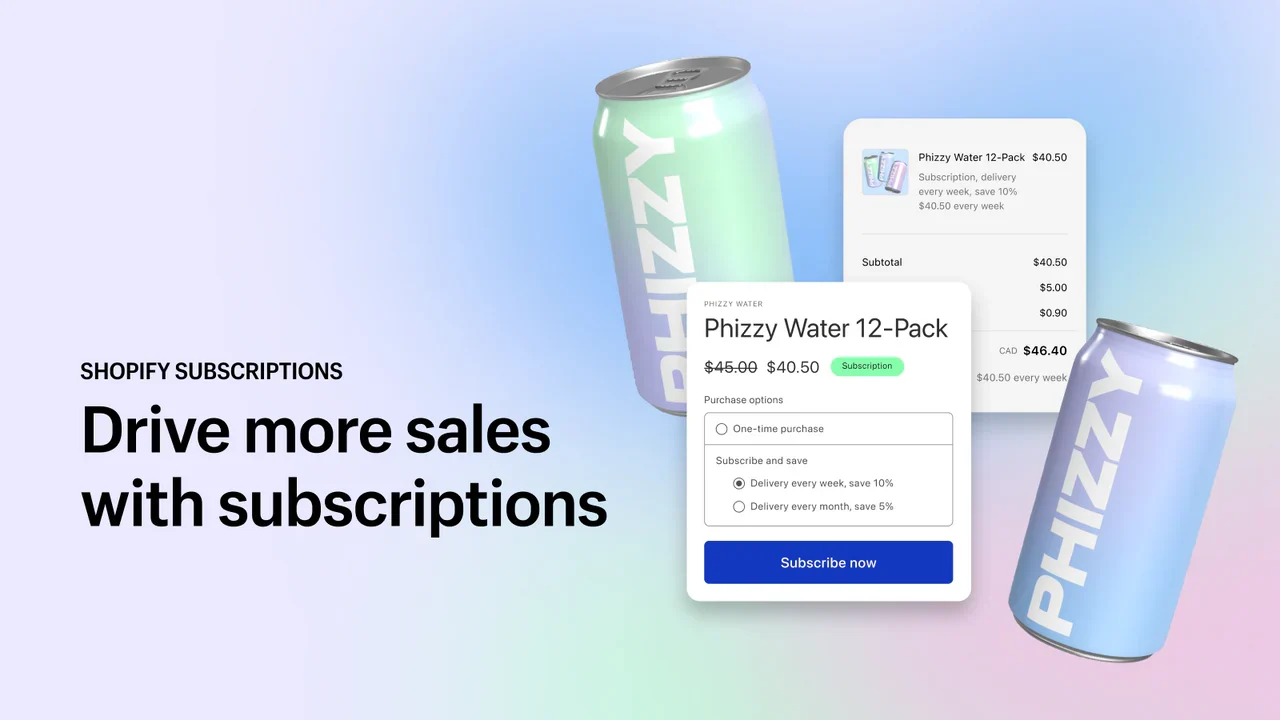
Merchants can set delivery intervals, offer subscription discounts, and sell products through subscribe-and-save plans. Customers can skip deliveries, pause subscriptions, reschedule orders, or cancel without contacting the store.
Since it uses Shopify’s customer accounts and checkout, there’s no separate third-party subscription portal to maintain.
The main limitation is product bundling. Shopify states that bundles are incompatible with its Subscriptions app, so merchants cannot use it to offer customer-built subscription boxes.
The app also has limited retention features, failed-payment recovery tools, and subscription analytics compared with some paid alternatives. Shopify’s order-edits API does not support subscriptions, and supported payment gateways vary by region.
Pricing: Free, with standard Shopify payment processing fees.
Shopify Subscriptions is worth considering if you’re launching a straightforward recurring product. You can start taking subscription orders without another monthly app expense and move to a paid platform when your requirements change.
2. Recurpay
Recurpay offers recurring payments, prepaid subscriptions, and customer self-service at a relatively low monthly price.
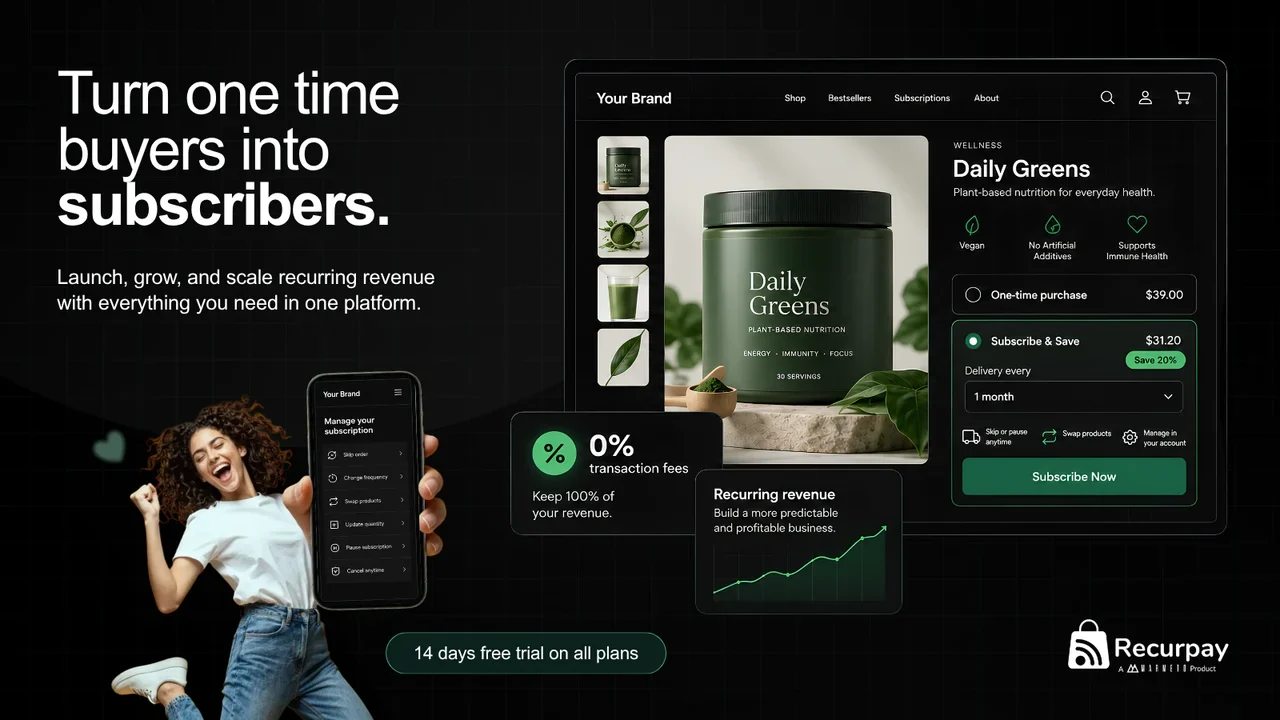
Its Launch plan costs $9 per month and allows unlimited subscriptions without transaction fees. Merchants can set renewal schedules, add subscription offers to their carts, and recover failed payments through automated reminders.
Customers get a portal where they can manage their subscriptions. Recurpay also provides subscription widgets that merchants can add without coding, along with 24/7 live support.
Stores selling subscription boxes will need the Growth plan. At $19 per month, it adds build-a-box subscriptions, cancellation flows, integrations, and API access.
Recurpay has a free plan, but that plan is available only for development stores. Live merchants need a paid subscription.
Pricing:
- Launch: $9/month with unlimited subscriptions and 0% transaction fees.
- Growth: $19/month, including build-a-box, cancellation flows, integrations, and API access.
Recurpay is a reasonable option for stores that want predictable monthly costs. Its Growth plan also makes it worth comparing against more expensive apps if your store needs a subscription box.
Check the features available on each plan before installing it.
3. Seal Subscriptions
Seal has a free plan covering up to 50 subscriptions. Its paid plans start at $5.95 per month, and none charge a percentage of subscription revenue.
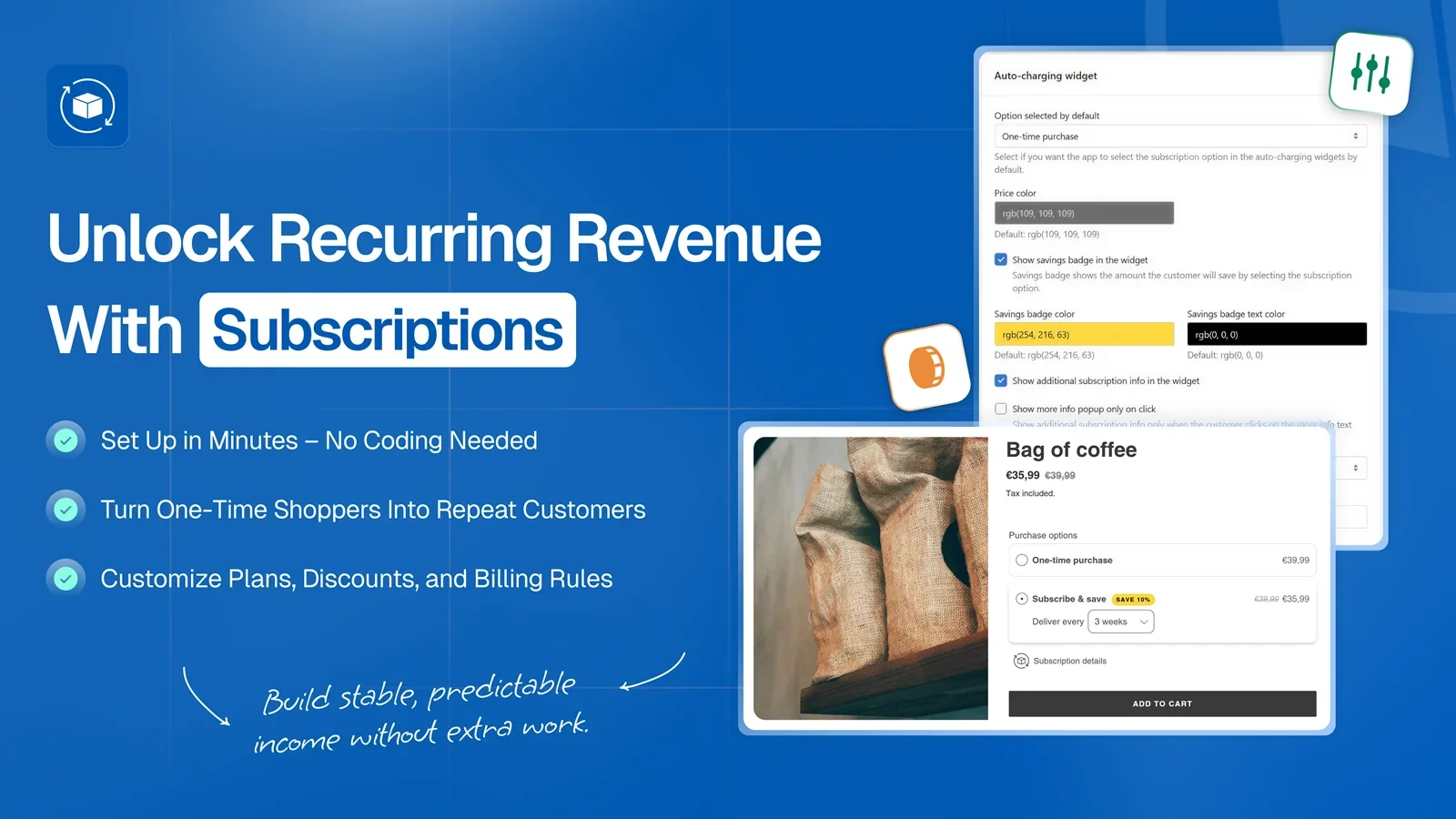
The app supports recurring product subscriptions, prepaid plans, subscription boxes, free trials, and memberships.
Customers can manage subscriptions through a passwordless link. Seal also supports product swaps, tiered discounts, and automatic delivery-cost calculations. Higher plans add more control over cancellations and product-price updates.
API and webhook access are available on every plan, including the free tier.
Seal’s pricing depends on subscription count:
| Plan | Monthly price | Subscription limit |
|---|---|---|
| Free | $0 | 50 |
| SuperSale | $5.95 | 100 |
| Rising Star | $9.95 | 250 |
| Legend | $24.95 | 500 |
SuperSale adds the passwordless customer portal. Rising Star includes a custom cancellation flow and payment calendar. Higher tiers provide additional automation options.
Annual billing saves 20%.
Seal also offers plans for larger stores, but their prices aren’t publicly listed. Merchants should confirm whether paused or canceled subscriptions count toward their plan limits.
Seal makes sense for smaller stores that want recurring payments and customer management features without paying a percentage of sales. The main consideration is how quickly your subscription count might grow beyond the listed plans.
4. Appstle Subscriptions
Appstle charges according to monthly subscription revenue. Its free plan covers stores earning up to $500 per month from subscriptions, and paid plans have no transaction fees.
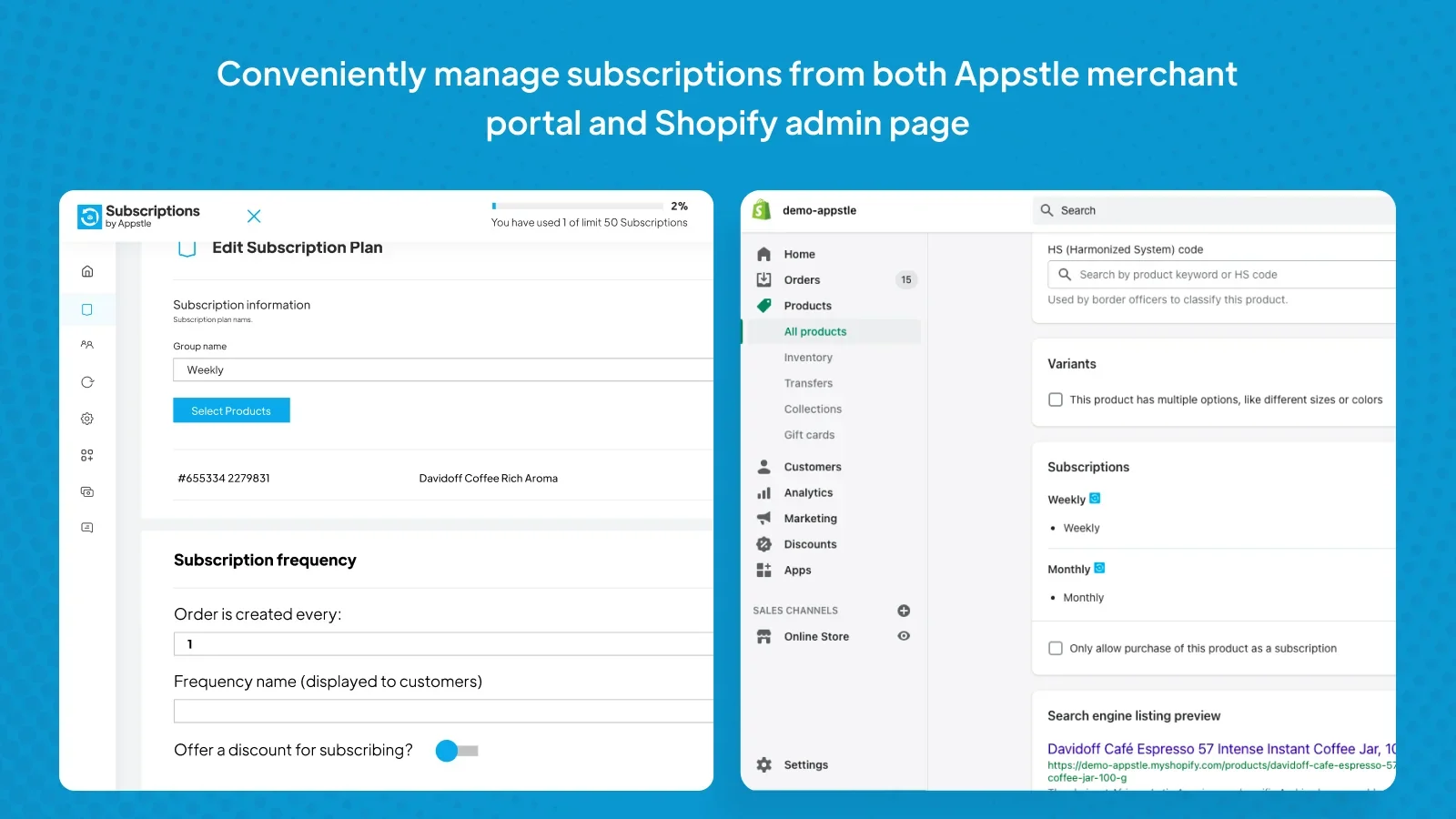
The app supports standard recurring payments, prepaid subscriptions, multiple delivery schedules, and automatic payment retries.
Customers can manage subscriptions through a portal with passwordless login. Appstle also offers loyalty discounts, rewards, custom shipping options, and cancellation controls.
More advanced features include subscription boxes, product swaps, inventory forecasting, SMS notifications, and integrations with services such as Klaviyo, Gorgias, Zapier, and Stripe. Appstle also provides migration assistance.
Some of these features require higher plans.
| Plan | Price | Monthly subscription revenue limit |
|---|---|---|
| Free | $0 | $500 |
| Starter | $10/month | $5,000 |
| Business | $30/month | $15,000 |
| Business Premium | $100/month | $100,000 |
Build-a-box and product bundling are available on Business. Business Premium adds product swaps with automatic price and address synchronization. Enterprise-level plans provide API access.
All paid plans charge 0% transaction fees. Annual billing saves 20%.
Appstle has a 5.0 Shopify App Store rating with more than 9,100 reviews and carries the Built for Shopify badge.
It’s suitable for stores that want subscription features without revenue-sharing fees. Check the feature requirements alongside the revenue limit. A store earning $4,000 per month might qualify for Starter by revenue but still need Business to sell subscription boxes.
5. Easy Subscriptions
Easy Subscriptions charges according to the total number of subscription orders a store has processed.
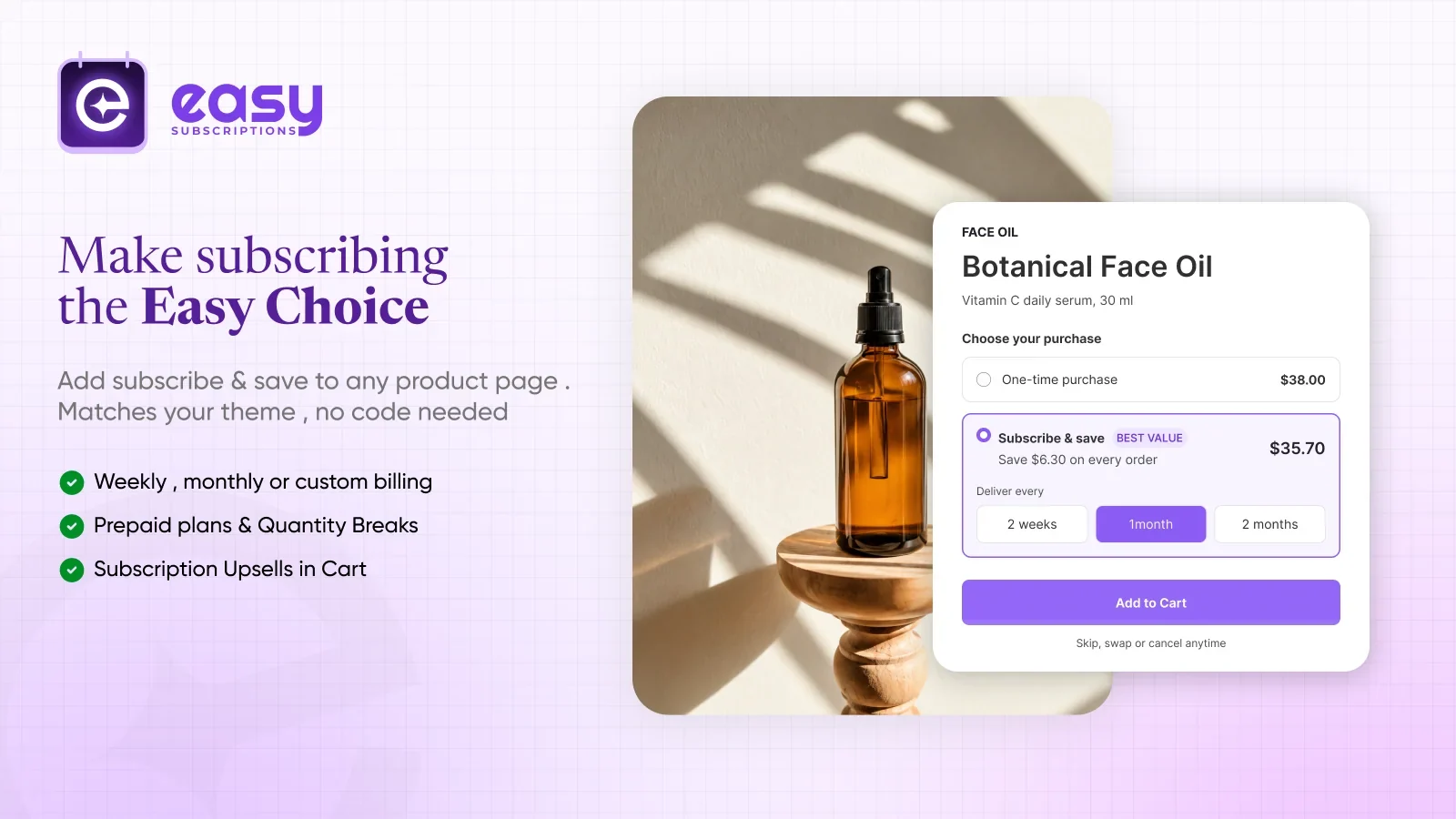
Its free plan covers the first 100 lifetime subscription orders. Paid plans start at $39 per month, with 0% transaction fees.
The app includes a customer portal, prepaid subscriptions, quantity-based discounts, and automated failed-payment recovery. Merchants can also create trial subscriptions and use integrations with other Shopify tools.
For subscription boxes, the Growth plan adds build-a-box features, curated boxes, and multi-step bundle selection.
Higher plans introduce additional tools. Scale includes product-page and post-checkout upsells, advanced analytics, and an AI conversion engine. Enterprise adds sequence subscriptions and bundle presets.
Other available features include loyalty gift products, custom email domains, and multilingual support.
Pricing:
- Starter: Free for up to 100 lifetime subscription orders.
- Growth: $39/month for up to 1,000 orders.
- Scale: $99/month for up to 10,000 orders.
- Enterprise: $399/month with unlimited orders.
Annual billing saves 10%.
The lifetime order limit deserves attention. If your store processes 200 subscription orders every month, it will pass the Growth plan’s 1,000-order limit after approximately five months, assuming it starts with no previous subscription orders.
Easy Subscriptions is worth considering for stores selling curated boxes or customer-built bundles that prefer order-based pricing over transaction fees.
6. Joy Subscriptions
Joy combines subscription management with retention and loyalty features. Its free plan covers up to 50 active subscriptions.
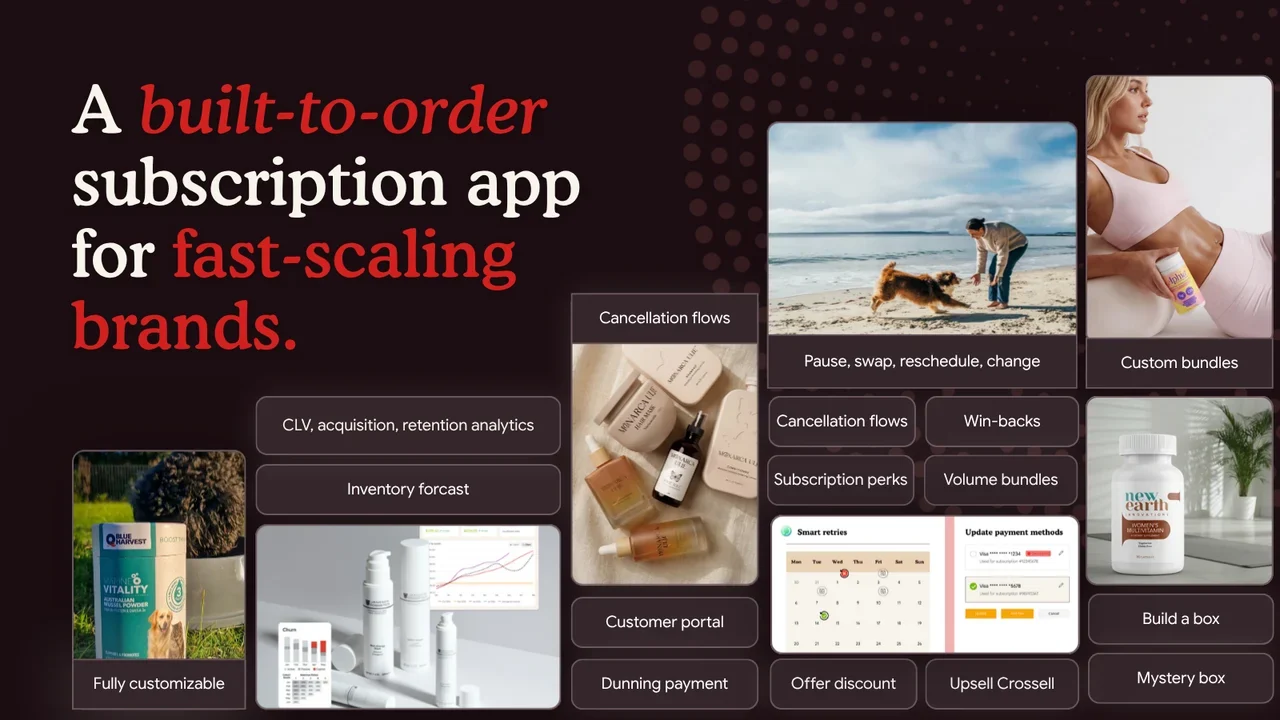
The app includes customer subscription widgets, a management portal, performance reports, and 12 subscription flow triggers. It connects with Klaviyo, Shopify Flow, and Shopify POS. Human support is available across all plans.
Stores requiring more advanced subscription options can use the Starter plan, which costs $49 per month plus 0.75% of subscription revenue.
Starter includes build-to-order subscriptions, fixed bundles, and build-your-own boxes. It also provides failed-payment recovery, cancellation flows, win-back tools, and reports covering churn and customer lifetime value.
Developers can use the Admin API, Storefront API, and webhooks on this plan.
Professional adds mystery subscription boxes, inventory forecasting, and more options for customizing the customer portal through the JavaScript SDK and Storefront API.
Pricing:
- Free: Up to 50 active subscriptions.
- Starter: $49/month + 0.75%.
- Professional: $199/month + 0.5%.
There is no additional per-order fee on top of the stated percentage.
Joy suits merchants who need subscription boxes and retention features at a lower starting cost than many premium subscription platforms. Stores already using Joy’s loyalty products may also find its subscription offering worth testing.
7. PayWhirl
PayWhirl offers recurring subscriptions with a pricing structure that changes as subscription revenue increases.
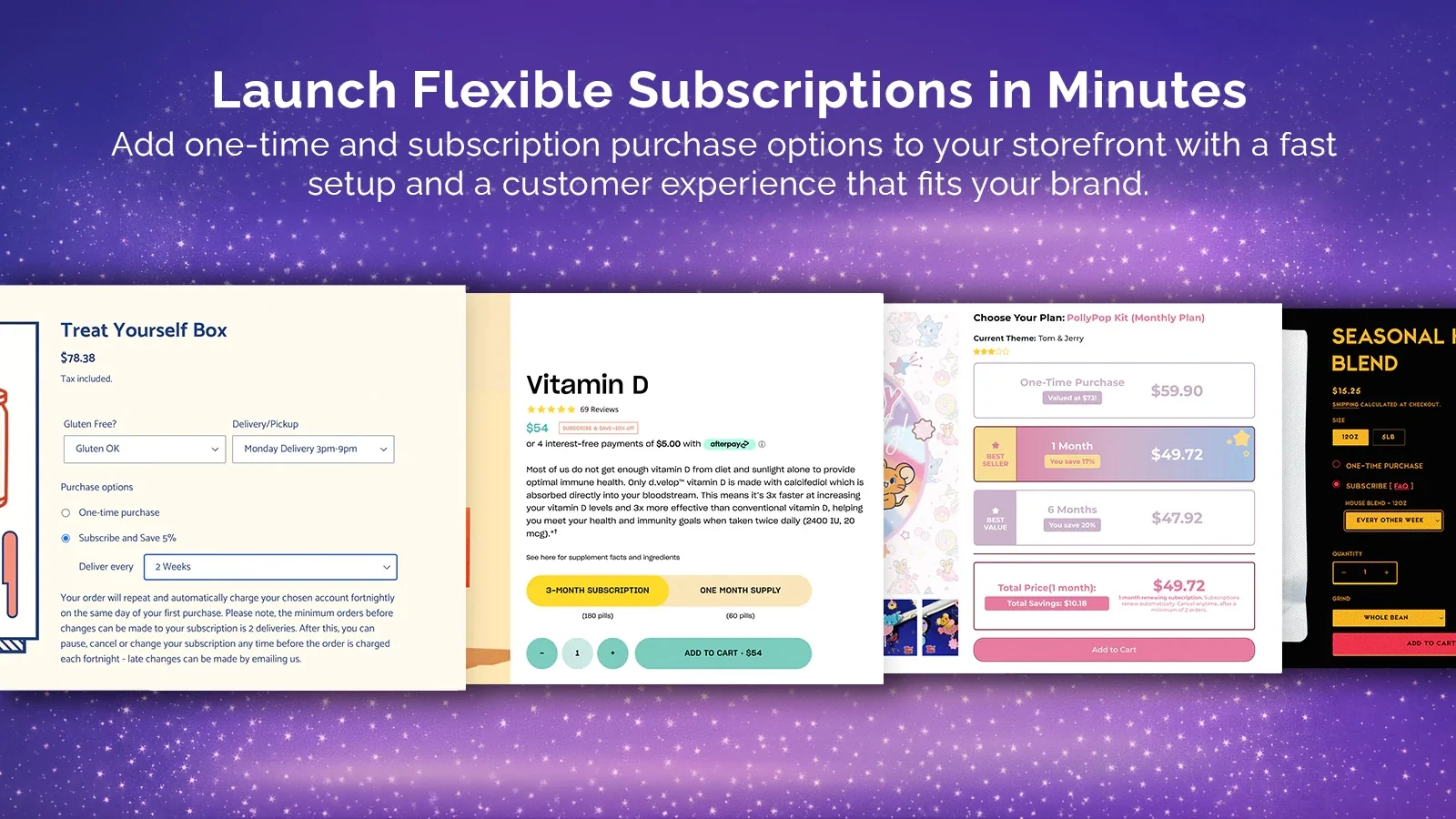
All plans support unlimited subscriptions and orders. The app also provides installation assistance, migration support, analytics, and data exports.
Cancellation-prevention flows are available across its plans.
The Pro plan adds customizable email templates and automatic customer address updates. Traction includes workflow automation, failed-payment actions, inventory management, Klaviyo integration, and access to APIs and webhooks.
Scale has a lower transaction rate and provides a dedicated account manager.
Pricing:
| Plan | Monthly price | Transaction fee |
|---|---|---|
| Free | $0 | 0% on the first $5,000 processed, then 3% |
| Pro | $9 | 2% |
| Traction | $29 | 1.5% |
| Scale | $149 | 0.75% |
The more expensive plans have lower transaction fees.
For example, the Pro plan would cost $209 at $10,000 in monthly billable revenue: $9 plus a 2% fee. At the same volume, the Free plan’s stated fee structure would produce a $150 charge.
At higher revenue, Scale may cost less than the lower-priced plans.
PayWhirl is useful for merchants who want a Shopify-native app with migration support and adjustable pricing. Compare the total fee at your actual sales volume before selecting a plan.
8. Bold Subscriptions
Bold is one of the older Shopify subscription platforms. It offers recurring product subscriptions, prepaid plans, and flexible billing schedules.
Merchants can set fixed billing dates or charge customers according to their subscription intervals. The app supports unlimited subscribers, automated retries for failed payments, and Subscription Maximizers for upselling and retention.
Standard support is available on every plan.
Bold’s three paid tiers have the same core feature access. The difference is the monthly price and transaction rate.
| Plan | Monthly price | Transaction fee |
|---|---|---|
| Launch | $24.99 | 2% |
| Grow | $49.99 | 1% |
| Scale | $74.99 | 0.9% |
There are no stated revenue or order limits on these plans.
At $10,000 in monthly subscription revenue, Grow costs approximately $150. Launch would cost about $225 at the same volume.
At $30,000, Scale costs around $345, which is lower than Grow at approximately $350.
Bold has a 4.0 Shopify App Store rating across 381 reviews, the lowest rating among the apps compared here. Its review history includes an earlier checkout migration, so recent reviews deserve attention when evaluating its current performance.
Bold may suit stores that want recurring billing and prepaid subscriptions without paying to unlock separate feature tiers. The pricing is straightforward to calculate once you know your expected subscription revenue.
9. Subify (Subi)
Subify, now branded as Subi, includes recurring subscriptions, memberships, loyalty features, and subscription boxes.
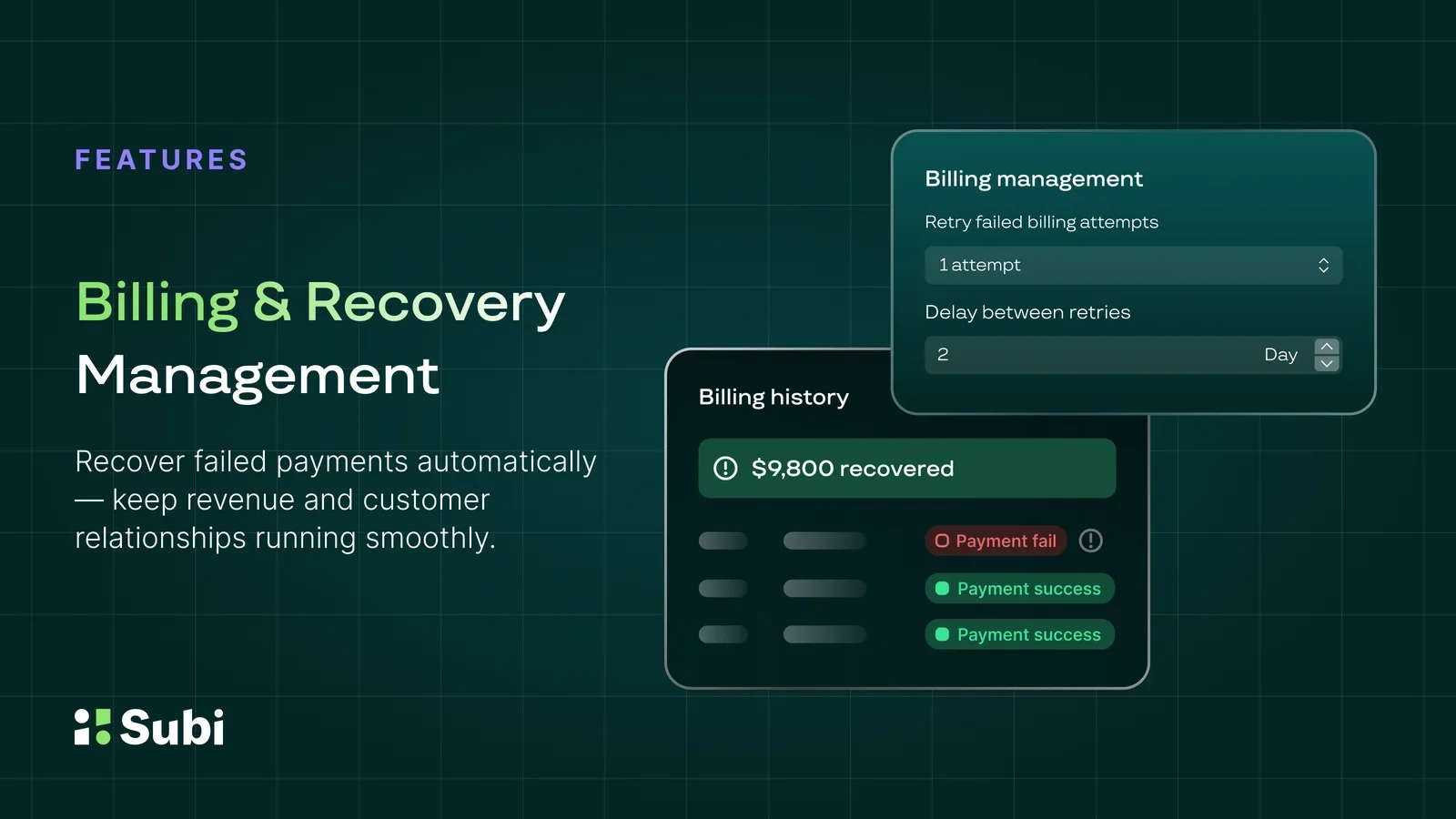
Even its free plan supports bundles and boxes. Merchants can also offer membership perks and let customers manage their subscriptions through a portal.
Subi provides customizable billing schedules, subscription analytics, and different subscription widget templates.
The Starter plan adds unlimited subscriptions, prepaid subscriptions with minimum and maximum billing limits, full contract management, failed-payment retries, and API access.
The Subi plan includes cancellation management, loyalty programs, bulk subscription edits, and quick checkout links with free shipping.
Subi Plus adds advanced analytics, priority support, and a dedicated customer success manager.
Pricing:
- Free: Free to install.
- Starter: $29/month + 1.6%.
- Subi: $119/month + 0.8%.
- Subi Plus: $479/month + 0.4%.
Annual billing saves 17%, and paid plans come with a 30-day money-back guarantee.
Subify has a 4.9 rating from approximately 930 Shopify reviews.
It is worth checking if you want subscriptions, membership perks, and customer-built boxes within the same app. Stores with higher subscription revenue should compare the lower transaction rates on Subi and Subi Plus before choosing Starter.
10. Loop Subscriptions
Loop handles recurring payments and gives merchants tools for managing subscriber retention.
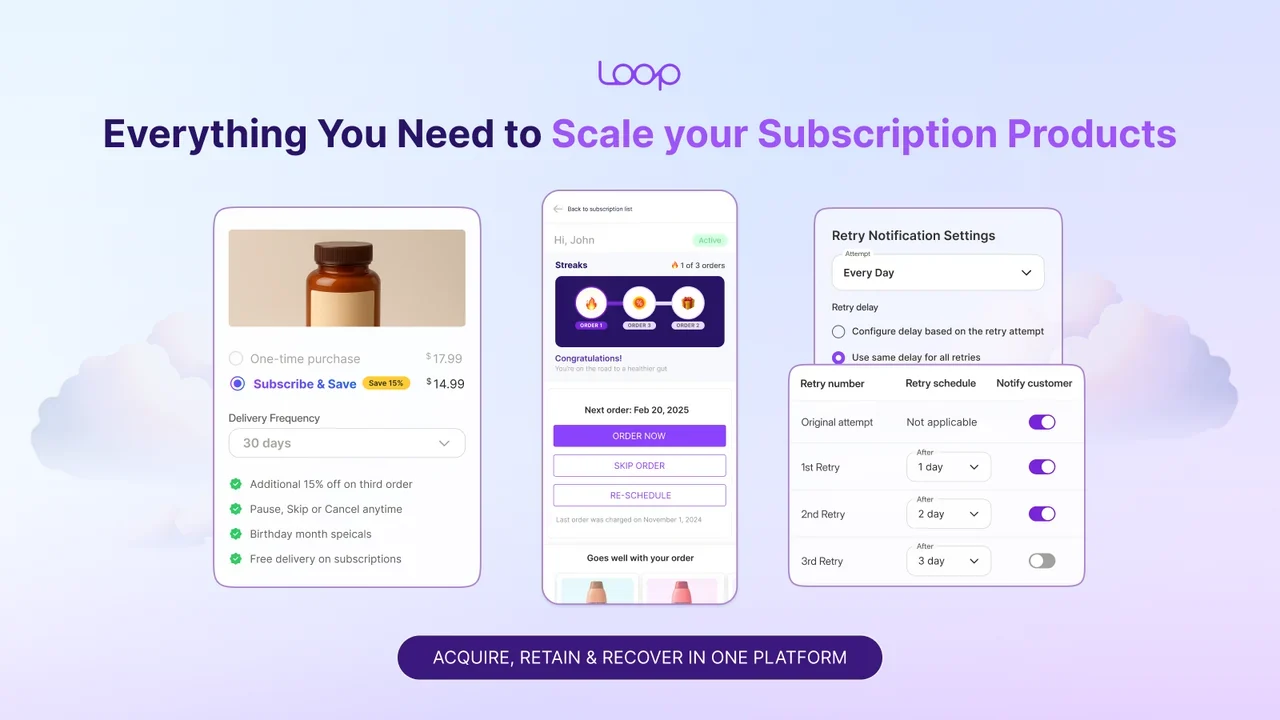
Its customer portal lets subscribers skip orders, pause deliveries, change products, and update subscription details from mobile devices.
Merchants can set up failed-payment recovery and cancellation flows. Loop also supports automatic price and shipping updates, along with one-click actions customers can take from subscription emails.
Build-your-own boxes and fixed subscription bundles are available on the Starter plan.
The Pro plan adds gamified subscriber journeys, multilingual features, and API access. It also supports prepaid subscriptions, gift subscriptions, trials, and autoship models.
Pro includes a dedicated customer success manager and 24/7 Slack support.
Pricing:
- Free Forever: Up to 50 active subscriptions.
- Starter: $99/month + 1%.
- Pro: $399/month + 0.75%.
There is no additional per-order charge.
Loop works well for stores that want customers to manage subscription changes independently. The Starter plan covers regular subscription boxes, but merchants selling prepaid gifts or requiring Pro’s advanced features should budget for the higher tier.
11. Smartrr
Smartrr focuses on customer subscription accounts and retention features.

Merchants can create a branded subscriber portal that works with Shopify checkout. The platform also handles subscription notifications through email and SMS and supports dedicated shipping profiles.
The Launch plan starts at $99 per month. Stores needing prepaid subscriptions, sequential subscription plans, advanced analytics, and additional integrations can use Grow.
Grow also includes a customer success manager.
Smartrr’s Excel plan adds digital subscriptions, tiered pricing, memberships, loyalty features, and referrals. It also includes smart retention surveys and AI-powered Klaviyo flows.
Pricing:
- Launch: $99/month + 1% of subscriber GMV.
- Grow: $299/month + 1% of subscriber GMV.
- Excel: From $499/month + 1% of subscriber GMV.
Each plan includes a 14-day trial. There is no separate per-order charge beyond the stated percentage.
Smartrr has a 4.9 rating from 71 reviews. Since the review count is relatively small, merchants should read recent feedback alongside any product demonstrations.
Smartrr is suited to growing subscription brands that want a branded customer portal and retention features. Its percentage fee remains the same across plans, so the additional monthly cost mainly pays for the features available on higher tiers.
12. Recharge
Recharge is an established Shopify subscription platform used by larger direct-to-consumer brands. It handles recurring billing and offers integrations with other ecommerce and marketing tools.

Customers can manage deliveries through a subscription portal, including skipping, pausing, swapping products, and rescheduling.
Recharge also provides cancellation flows, automated failed-payment recovery, and analytics for tracking subscription growth and retention.
Stores selling bundles or requiring advanced storefront customization will need to examine the Plus plan. It includes build-a-box features, loyalty options, and developer tools such as the JavaScript SDK and Storefront API.
Recharge has a special $25 introductory plan for merchants who installed the app on or after February 9, 2026. This applies only to the first 50 subscribers. Once a store passes 50 lifetime subscription customers, it moves to Starter at $99 per month permanently.
Pricing:
- Introductory plan: $25/month for eligible new merchants within the first 50 subscribers.
- Starter: $99/month + 1.49% + $0.19 per transaction.
- Plus: $499/month + 1.34% + $0.19 per transaction, on a 12-month term.
At $30,000 in monthly subscription revenue with 600 charged orders, Starter costs approximately $660 before Shopify payment processing fees.
Stores that need bundles should calculate their costs using Plus, since those features aren’t included in Starter.
Recharge acquired Skio for $105 million in April 2026. The companies continue to operate separate subscription products.
Recharge makes sense for established stores that need its integration options or advanced subscription features. Its combined monthly, percentage, and per-order fees require closer budgeting than a flat-price app.
13. Awtomic
Awtomic specializes in customer-built subscription boxes and custom subscription storefronts.
It allows customers to assemble their own boxes from available products. Merchants can also use its APIs for headless commerce projects.
Other features include gift subscriptions, SMS, Autoswap, custom theme installation, and priority support.
Awtomic’s Shopify App Store listing shows a Growth plan costing $299 per month plus 1% of subscription revenue. The plan includes a 14-day trial.
The company also references a lower Starter tier on its own website, but its price was not published on the Shopify listing at the time of the October 28 check.
Merchants should confirm the complete plan pricing directly with Awtomic before making a decision.
Awtomic has a 5.0 rating from 36 reviews.
It is worth evaluating for brands selling configurable boxes or using a headless storefront. The higher monthly fee makes the most sense when those specialized features are part of the subscription offer.
14. Stay AI
Stay AI combines subscription management with tools for reducing cancellations and recovering subscribers.
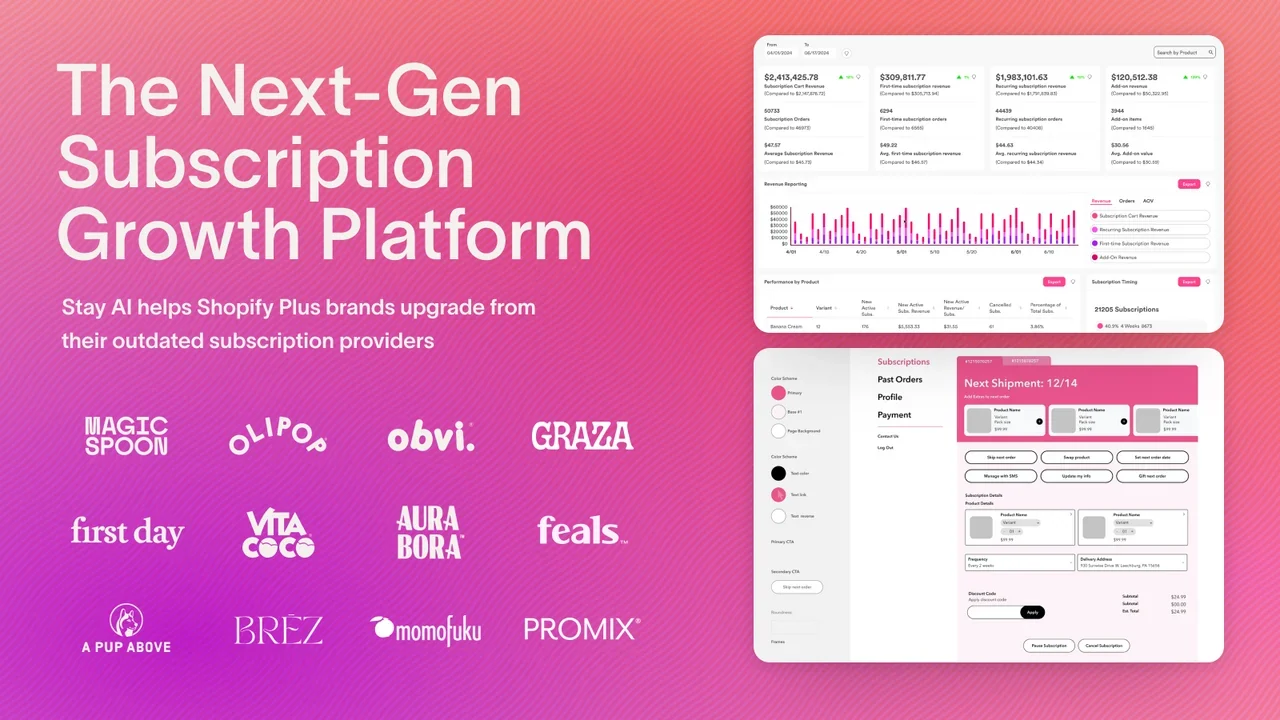
It supports recurring product subscriptions, prepaid plans, different billing frequencies, and subscription discounts.
Customers can manage their subscriptions through a portal, while merchants can build cancellation flows and automated workflows.
The platform also includes churn predictions, win-back campaigns, and A/B testing for cancellation offers. Merchants can test different responses when customers attempt to cancel and examine the results.
Stay AI provides subscription analytics, build-a-box features, bulk actions, team permissions, and no-code tools for creating customer portals and emails.
Pricing: $499/month + 1% of subscription revenue + $0.19 per transaction.
Volume-based enterprise pricing is available. The standard plan includes the full feature set and comes with a 30-day free trial.
At $10,000 per month and 200 charged orders, the app would cost approximately $637.
Stay AI is mainly suited to stores that already have a subscription program and want to work on retention. Merchants will need someone to configure the campaigns, review results, and adjust the offers. Include that ongoing work when estimating the cost.
15. Skio
Skio offers subscription management with a single public paid plan that includes all its standard features.

Merchants can create subscription boxes, manage recurring payments, and customize their customer portal without upgrading to separate feature tiers.
The portal supports passwordless login and quick subscription changes. Skio also offers automatic payment recovery, lifecycle campaigns, a multi-step cancellation flow builder, SMS reminders, and Klaviyo integration.
Its pricing is higher than most of the other apps in this comparison.
Pricing:
- Scale: $599/month when billed monthly.
- Annual Scale: $499/month, paid annually at $5,988 per year.
- Transaction charges: 1% of subscription revenue + $0.20 per subscription order.
- Enterprise: Custom pricing.
Annual billing saves approximately 17% on the fixed platform fee.
For a store processing $30,000 in monthly subscription revenue across 600 orders, the monthly-billed Scale plan costs approximately $1,019.
Skio became part of Recharge following the April 2026 acquisition. It continues to operate as a separate product with its own team and roadmap.
Skio is suited to higher-volume subscription stores that want access to its full feature set without managing different paid tiers. The main consideration is whether the store can justify the fixed monthly fee and transaction charges.
How much do Shopify subscription apps actually cost?
Monthly plan prices can be misleading when apps use different billing methods.
To compare them, calculate the fixed fee and any transaction charges using your expected subscription revenue and order count.
Monthly app cost = Monthly plan fee + Percentage-based fees + Per-order fees
For this comparison, we’ll use two subscription revenue levels:
- $10,000 per month from 200 subscription orders.
- $30,000 per month from 600 subscription orders.
Both examples assume an average order value of $50 and one successfully charged order per active subscription per month.
For apps such as Bold, PayWhirl, and Subify, which lower their transaction rates on higher plans, the calculations use the lowest-cost eligible plan for the stated volume.
These are comparison estimates. Actual charges may differ when customers skip deliveries, prepay, or use plans with special pricing limits.
Estimated monthly cost of all 15 apps
| App | $10,000 subscription revenue | $30,000 subscription revenue |
|---|---|---|
| Shopify Subscriptions | $0 | $0 |
| Recurpay (Launch) | $9 | $9 |
| Seal | $9.95 | Larger plan required; price not public |
| Appstle | $30 | $100 |
| Easy Subscriptions | $39 | $39* |
| Joy | $124 | $274 |
| PayWhirl | ~$150 | ~$374 |
| Bold | ~$150 | ~$345 |
| Subify (Subi) | $189 | $359 |
| Loop (Starter) | $199 | $399 |
| Smartrr (Launch) | $199 | $399 |
| Recharge (Starter) | $286 | $660 |
| Awtomic (Growth) | $399 | $599 |
| Stay AI | $637 | $913 |
| Skio (Scale, monthly) | $739 | $1,019 |
Easy Subscriptions’ $39 plan applies only while the store remains within its 1,000 lifetime subscription order limit. It will eventually need a higher plan as total orders increase.
Seal’s publicly listed plans cover up to 500 subscriptions. The $30,000 example assumes 600 active subscriptions, so a larger plan would be required.
These estimates exclude standard payment processing fees and any separate implementation or add-on costs. They also compare specific plans, which may offer different features.
Two examples of subscription app pricing
Suppose your store earns $30,000 per month from 600 subscription orders.
With Recharge Starter, the charges would be:
- Monthly plan: $99
- Revenue fee: $30,000 × 1.49% = $447
- Order fee: 600 × $0.19 = $114
Total monthly Recharge cost: $660
Subify’s Subi plan uses a different structure:
- Monthly plan: $119
- Revenue fee: $30,000 × 0.8% = $240
Total monthly Subify cost: $359
At this volume, Subify’s Starter plan would cost $509 because its transaction rate is 1.6%. Moving to Subi reduces the overall charge despite the higher monthly plan price.
The calculation also shows why you need to compare eligible plans. Recharge’s Starter plan does not include its advanced bundle features, while Loop’s prepaid and gift features require Pro.
When is a more expensive subscription app worth paying for?
A higher subscription app fee can make financial sense if its features help you keep enough additional paying customers.
Suppose one app costs $100 per month and another costs $400. The $400 app includes a retention feature that you want to test.
The price difference is $300 per month.
If each additional successful renewal earns $15 after product costs, shipping, discounts, payment processing, and other applicable fees, the more expensive app needs to recover 20 additional renewals each month to cover its higher cost.
$300 ÷ $15 = 20 renewals.
For a store with 600 renewals due, that means approximately 3.3 percentage points of additional renewal retention.
This is a break-even calculation, not an expected result. Staff time and implementation expenses would increase the amount the app needs to earn back.
Ask the vendor how its retention features work, what results it can document, and whether you can test those features before switching.
Test the app before committing to a paid plan
Once you’ve shortlisted two subscription apps for Shopify, test both with the same customer actions.
Use a mobile device and ask someone unfamiliar with the setup to complete the tests. Record the plan required for each feature and whether customer support was needed.
- Place a subscription order. Add a subscription product and a one-time product to the cart. Check the selected variant, delivery frequency, initial payment, and recurring charges. If there’s an introductory discount, the future price should also be visible before checkout.
- Change the next delivery. Move a scheduled delivery two weeks later. Check whether the payment date changes correctly. The updated date should appear in the customer’s portal, the merchant subscription record, and any scheduled reminder emails.
- Swap a product. Replace an existing subscription item with a different-priced product. Verify the new price and any subscription discounts. For boxes, check minimum product quantities and how the app handles sold-out items.
- Test a failed payment. Use the app’s supported test setup to simulate a declined payment. Check the retry schedule, customer notifications, and payment-update process. Confirm that the system does not charge the customer twice.
- Cancel a subscription. Complete a cancellation through the customer portal. Check whether future charges and renewal messages stop. If the app offers a pause or discount before cancellation, verify what happens when the customer accepts it.
After every test, compare the customer portal with the merchant subscription record and the messages the customer receives.
A difference between those records is worth investigating before you move real subscribers to the app.
What to check before migrating subscription customers
Changing subscription apps can affect payment details and upcoming renewals.
Before moving, ask the current provider and the new app which subscription contracts and payment tokens can transfer.
Some migrations let customers retain their saved payment details. Others require customers to enter their cards again. The outcome depends on the payment gateway and both subscription platforms.
Check a sample of existing subscriptions before starting the migration. Compare the next payment date, delivery interval, product price, discounts, and subscription status.
Paused subscriptions need attention because they may have a different next billing date.
During the migration, make sure each customer is assigned to only one billing system. Confirm which platform will process the next charge and which service will send renewal notifications.
A simple tracking sheet can record each customer group, its next charge date, the billing platform, notification ownership, and whether the first renewal was reconciled.
Check the first successful renewals on the new platform before turning off the previous app.
How to turn repeat customers into subscribers
Once your subscription setup works, you can start offering subscriptions to existing customers.
Customers who regularly reorder the same product are a useful group to target. For example, someone who buys the same supplement every 30 days may prefer automatic monthly delivery.
You can use their purchase history to identify products they buy repeatedly and offer a subscription at the point they are likely to reorder. This is one approach to increasing repeat purchase rate.
Cadence provides subscription upsell predictions for identifying repeat buyers who may be ready for a subscription. It also excludes customers who already subscribe to the same product.
Those predictions can feed into existing marketing campaigns.
Cadence’s ConvertCart lets customers choose between a one-time purchase and subscribe-and-save using the terms provided by their connected subscription platform. Purchases continue through standard Shopify checkout.
Product-specific subscription offers can give customers a direct path to reorder. Generic reminders may send them back to browse without a clear purchase option, an issue covered in why reorder emails don’t convert.
Cadence currently documents integrations with Recharge, Skio, Loop, and Shopify Subscriptions. Only one subscription platform can be connected at a time. If you’re considering another app from this comparison, confirm compatibility before planning to use Cadence with it.
Track subscription signups separately from successful renewals. A discounted first order can attract subscribers, but subsequent paid renewals provide a better measure of whether customers want to continue.
When customers consider canceling, the response should match their reason. Someone with too much unused product may need a longer delivery interval, while a customer concerned about cost might respond to a different offer.
There are also ways to win back customers without relying on discounts.
Frequently asked questions about Shopify subscription apps
Which Shopify subscription app is best for a small store?
Shopify Subscriptions is a practical starting point for a small store selling the same product on a recurring schedule. It’s free and supports basic recurring billing.
If you need more subscription features, compare Recurpay, Seal, Appstle, Easy Subscriptions, and Joy.
Recurpay starts at $9 per month. Seal offers a free plan for up to 50 subscriptions. Appstle provides a free plan up to $500 in monthly subscription revenue.
Your subscription model will determine which option is suitable. A store selling customer-built boxes has different requirements from one selling a single recurring product.
Are Shopify subscription apps free when they charge 0% transaction fees?
No. A 0% app transaction fee means the subscription app does not take an additional percentage of subscription sales on that plan.
Monthly plan charges, subscription limits, and Shopify payment processing fees can still apply.
Shopify Subscriptions has no app fee, but merchants still pay their usual payment processing charges.
Recurpay, Seal, Appstle, and Easy Subscriptions offer paid plans with 0% app transaction fees.
Which Shopify subscription apps support build-a-box subscriptions?
Several subscription apps for Shopify support customer-built boxes, including:
- Appstle, from the Business plan.
- Loop, from the Starter plan.
- Subify, including box features on its free tier.
- Easy Subscriptions, from the Growth plan.
- Joy, from the Starter plan.
- Recharge, on the Plus plan.
- Skio, on its Scale plan.
- Awtomic, which specializes in subscription boxes.
Check whether the app supports the exact rules your products require, including minimum item counts, product swaps, and sold-out products.
Can I move subscribers to another Shopify subscription app without asking them to enter their card details again?
Sometimes. Payment method transfers depend on your current payment gateway and the destination subscription app.
Some migrations support transferring payment tokens, allowing existing subscribers to continue without updating their cards.
Ask both providers to confirm compatibility with your store’s payment setup before migrating.
Is Yotpo Subscriptions still available?
Yotpo Subscriptions was excluded from this comparison because its current product status was uncertain during the research.
Its listing remained available, but competing subscription platforms were promoting migration services for merchants moving away from Yotpo.
Confirm the product’s continued availability and support directly with Yotpo before choosing it for a new subscription program.
Which Shopify subscription app should you choose?
For a simple recurring product, start by checking whether Shopify Subscriptions covers your requirements. If you need subscription boxes, prepaid plans, or additional retention features, compare the apps and the specific paid tiers that provide them.
Calculate the total monthly cost using your actual revenue and order volume. Then test checkout, subscription changes, failed payments, and cancellations before moving customers.
Pricing and features are based on checks recorded on October 28, 2026. App prices and plan limits can change. Confirm the current terms before purchasing or migrating.