AI insight extraction
Reading article context…
Key takeaways
- Smart SEO is the best starting point for most Shopify stores. It combines automated meta tags, image optimization, structured data, and broken-link management. Its free plan and affordable paid tiers make it a practical choice for small and growing stores.
- SearchPie is the stronger choice for comprehensive technical SEO. Its combination of product schema, bulk metadata optimization, image compression, and automatic 404 fixes makes it particularly useful for stores managing complex SEO requirements.
- TinySEO is best for image-heavy Shopify stores. Its focus on image compression, alt text, lazy loading, and page-speed optimization makes it especially valuable for stores with large product catalogs and unoptimized images.
- Avada offers one of the most generous free plans, while StoreSEO suits beginners. Avada’s free tier includes 1,500 image optimizations, making it attractive for bulk image work. StoreSEO offers guided SEO scores and checklists, although its free plan is limited to 25 products.
- Booster and Tapita are worth considering for specific needs. Booster emphasizes automated SEO fixes, while Tapita combines SEO, page-speed optimization, and multilingual support. However, Booster requires its $69/month Premium plan for image compression, and Tapita’s paid pricing varies by Shopify plan.
- Yoast SEO and Ilana’s JSON-LD are specialists, not direct replacements for all-in-one apps. Yoast is useful for content optimization and readability guidance, while Ilana’s JSON-LD focuses on advanced structured data and rich results. Choose them when those specific capabilities justify the cost.
- Not every Shopify store needs an SEO app. Shopify already supports editable meta tags, image alt text, XML sitemaps, canonical tags, and redirects. Install an app when you need bulk automation, additional functionality, or help solving a specific SEO problem.
- Avoid stacking SEO apps or choosing solely by starting price. Overlapping schema and theme modifications can create conflicts, while important features may be locked behind expensive plans. Compare what each tier actually includes and install only the tools your store needs.
Shopify already handles most basic SEO tasks. You can edit product titles, meta descriptions, and image alt text, create 301 redirects, and use the XML sitemap without installing anything.
SEO apps become useful when those tasks take too much time to manage manually. Editing meta descriptions for 30 products is manageable. Updating alt text across 4,000 products is a different job.
The best SEO apps for Shopify help with bulk editing, image compression, structured data, broken links, and technical SEO checks. Some can apply fixes automatically, while others identify problems for you to resolve.
We’ve compared nine Shopify SEO apps based on their features, pricing, free-plan limits, and intended use. All prices, ratings, and review counts were checked against Shopify App Store listings on November 2, 2026.
We haven’t installed or benchmarked these nine apps on a live store. Features described in their App Store listings are vendor claims, not results from our own testing.
Do you need a Shopify SEO app?
You may not need an SEO app if you have a small product catalog and can handle basic optimization through Shopify’s admin.
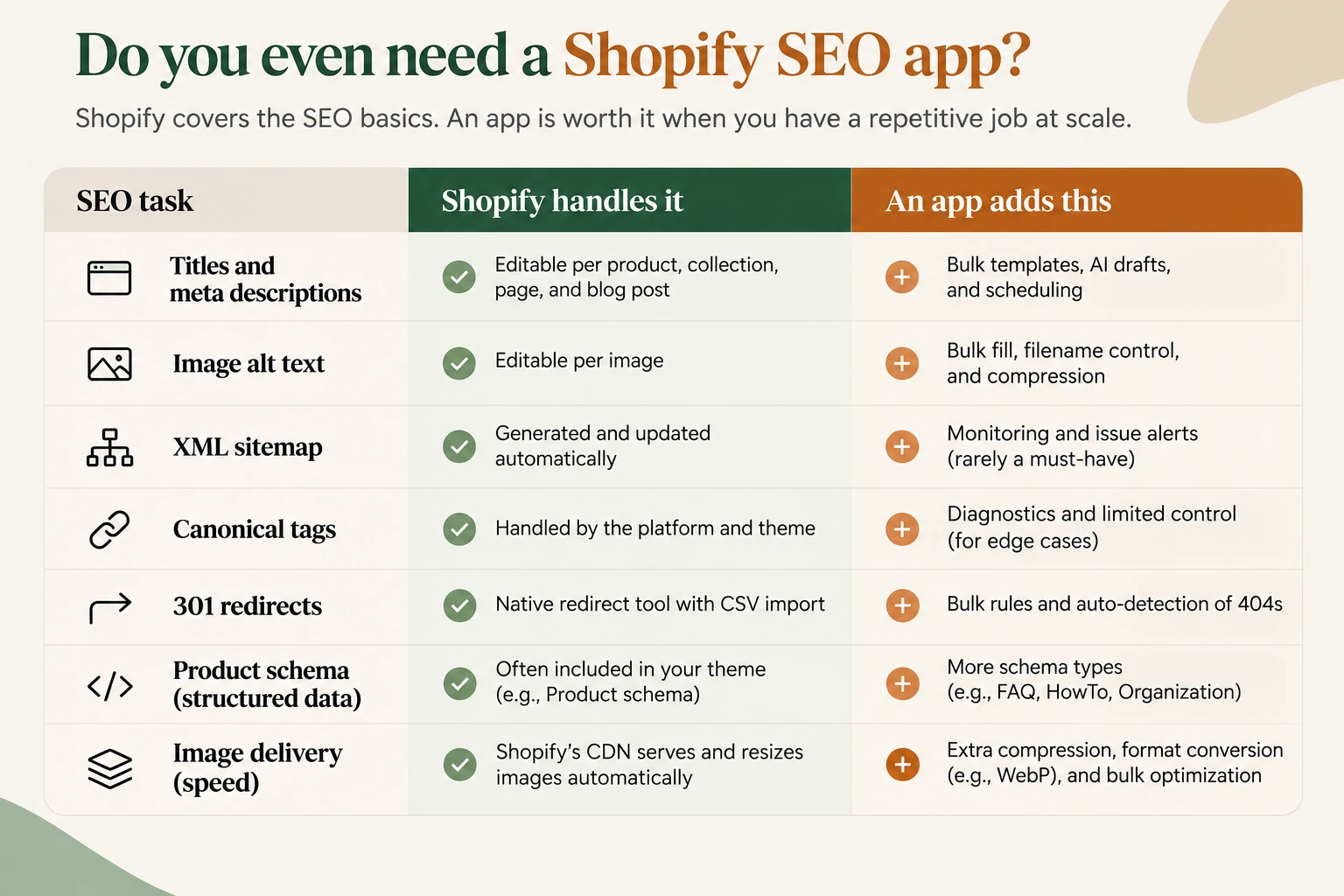
Shopify includes several SEO features that paid apps also advertise. The difference is usually how much work you can automate.
| SEO task | What Shopify already provides | What an SEO app can add |
|---|---|---|
| Titles and meta descriptions | Edit SEO fields for products, collections, pages, and blog posts | Bulk editing, templates, AI-generated descriptions, and scheduling |
| Image alt text | Edit alt text for individual images | Bulk alt text generation, filename management, and compression |
| XML sitemap | Automatically generates and updates a sitemap | Sitemap monitoring |
| Canonical tags | Handled through Shopify and the store’s theme | Diagnostics and limited customization |
| 301 redirects | Built-in URL redirects and CSV imports | Bulk redirect rules and automatic 404 detection |
| Product schema | Basic structured data, depending on the theme | Additional schema types, review markup, and price information |
| Image delivery | Shopify CDN serves and resizes images | Additional compression and image format conversion |
For example, a store with 30 products can usually manage its titles and descriptions manually. Paying for an app that generates hundreds of meta descriptions would offer little value.
A store with 4,000 SKUs has a stronger reason to use bulk editing and automated image optimization.
Structured data needs a separate check. Many Shopify themes already generate Product schema, so installing an app that adds the same markup could create duplicates.
Before paying for a schema app, enter your product URL into Google’s Rich Results Test. It will show which supported structured data Google can detect on the page and whether it has errors.
Best Shopify SEO apps compared
Six of the nine apps cover several SEO tasks. The remaining three focus more closely on image optimization, structured data, or content analysis.
All-in-one Shopify SEO apps
| App | Rating (reviews) | Free plan | Paid plans start at | Best for |
|---|---|---|---|---|
| Smart SEO (Sherpas) | 5.0 (~955) | 100 link-check pages, 50 images, 20 AI generations | $9.99/month | Small stores wanting affordable automation |
| Avada AI SEO | 4.9 (~7,900) | 1,500 image optimizations | $34.95/month | Stores with large image catalogs |
| Booster AI SEO + AEO | 4.9 (~5,230) | Alt text and weekly 50-image sync | $39/month | Automated SEO fixes |
| SearchPie | 4.9 (~2,450) | 50 images and basic schema | $39/month | Structured data and automatic 404 fixes |
| Tapita | 5.0 (~2,440) | Core SEO and speed features | $9.99/month* | Multilingual SEO and page speed |
| StoreSEO | 4.9 (~560) | Up to 25 products | $14.99/month | Small stores wanting guided SEO checks |
Tapita charges additional fees on paid plans according to your Shopify subscription tier.
Specialist Shopify SEO apps
| App | Rating (reviews) | Free plan | Paid plans start at | Best for |
|---|---|---|---|---|
| TinySEO (TinyIMG) | 5.0 (~2,230) | 50 images/month | $14/month | Image compression and page speed |
| Ilana’s JSON-LD | 4.9 (~420) | 7-day trial only | $399/year | Structured data |
| Yoast SEO | 4.6 (~162) | 14-day trial only | $19/month | On-page SEO and readability analysis |
Ratings, review counts, and prices are from Shopify App Store listings checked on November 2, 2026. Prices and plan limits may change.
Pricing, ratings and free-plan limits in this article are a November 2, 2026 snapshot supplied with the draft. Listings may have changed since then. Confirm the current plan before subscribing.
Best all-in-one Shopify SEO apps
1. Smart SEO (Sherpas)
Smart SEO is a reasonable starting point for small Shopify stores that want to automate SEO work without paying for an expensive subscription.
Developed by Sherpas Design, the app can generate meta tags and image alt text using AI. It also supports image compression, JSON-LD structured data, broken-link detection and repair, and automated sitemap handling.
You can use these features without manually editing your theme’s SEO templates.
Smart SEO also carries Shopify’s Built for Shopify badge.
How much does Smart SEO cost?
Smart SEO has four plans:
| Plan | Price |
|---|---|
| Free | $0 |
| Pro | $9.99/month |
| Business | $19.99/month |
| Premium | $29.99/month |
The free plan includes:
- 100 broken-link page checks
- 50 image optimizations
- 20 AI generations
- Meta tag and alt text optimization
- Sitemap features
Paid plans increase the allowances for broken-link checks, image optimization, and AI generation. They also add dedicated support.
There’s a seven-day trial for paid plans.
Who should use Smart SEO?
Smart SEO makes sense for beginners and smaller stores that need help with several routine SEO tasks.
At $9.99 per month, Pro is one of the least expensive paid options in this comparison. It’s worth considering if you want automated meta tags, image optimization, and broken-link checks without managing several separate apps.
Shopify App Store rating: 5.0 from approximately 955 reviews.
2. Avada AI SEO Image Optimizer
Avada is worth looking at if you have hundreds or thousands of product images that need optimization.
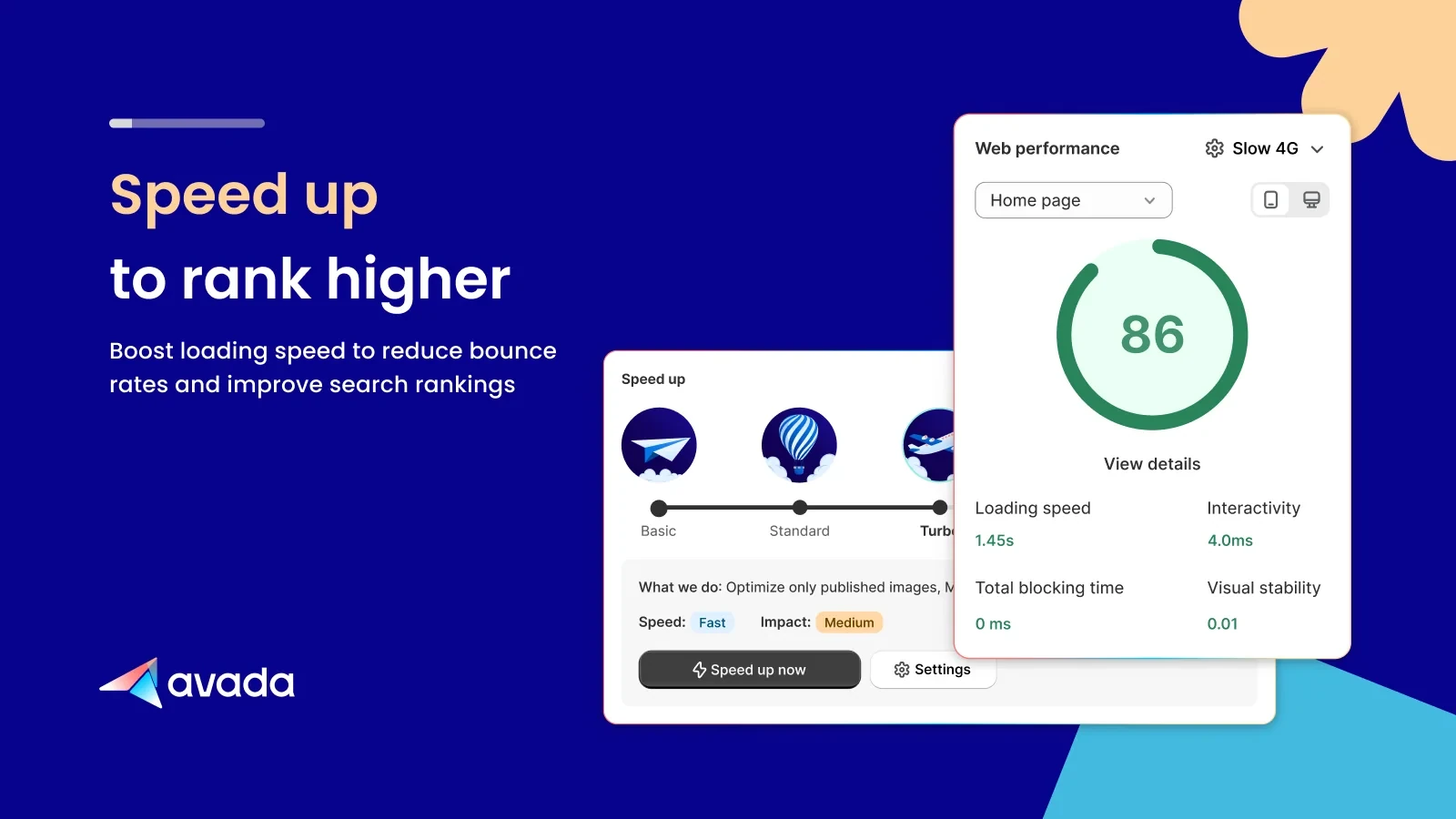
Its free plan includes 1,500 image optimizations, which is considerably more than the free image allowances offered by Smart SEO, SearchPie, and TinySEO.
Avada combines image optimization with on-page SEO tools and site auditing. It also connects to Google Search Console from within Shopify’s admin.
The app supports image compression, WebP conversion, alt text optimization, meta tags, and Google structured data. A basic speed booster is included as well.
How much does Avada cost?
| Plan | Price |
|---|---|
| Free | $0 |
| Pro | $34.95/month |
| Enterprise | $99/month |
The free plan provides 1,500 image optimizations, a basic speed booster, alt text and meta tag optimization, and a site audit.
Pro adds advanced image optimization, structured data, and premium support.
Avada offers a seven-day trial.
Who should use Avada?
Avada is a practical option for stores with large image catalogs, including US-based stores looking to manage image SEO at scale.
The 1,500-image free allowance lets you optimize a substantial number of images before deciding whether you need the paid features.
If image optimization is your main reason for installing an SEO app, check Avada’s free plan before paying for a broader SEO suite.
Shopify App Store rating: 4.9 from approximately 7,900 reviews.
3. Booster AI SEO + AEO Optimizer
Booster focuses on applying SEO fixes automatically. It continuously scans your Shopify store for issues and can handle certain changes without requiring you to review every individual page.
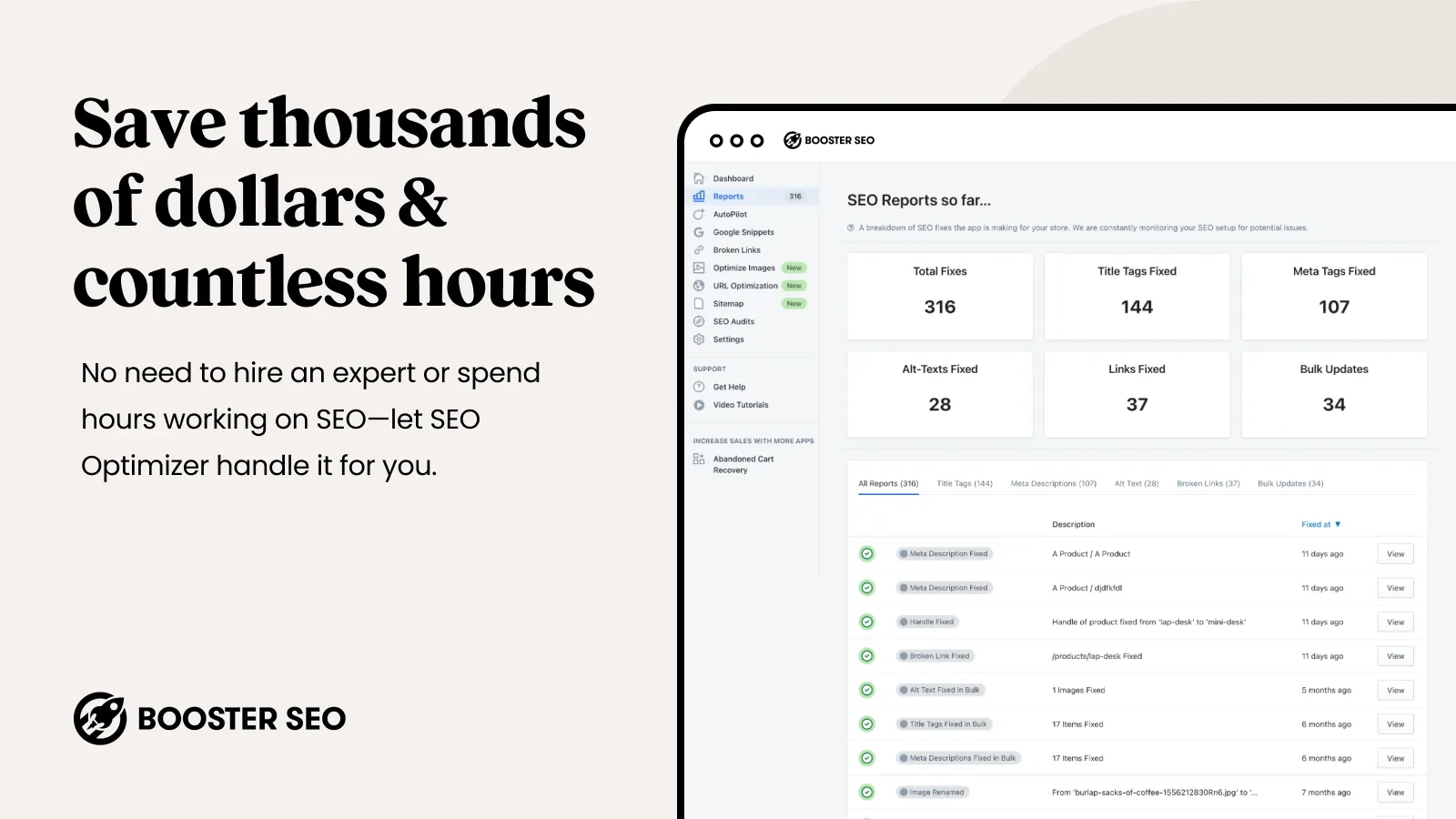
It’s one of the longer-running SEO apps on Shopify and now includes features related to AI search and answer-engine optimization (AEO).
Booster offers alt text templates, meta tag optimization, broken-link detection and automatic fixes, structured data for Google rich results, and automated sitemap submission.
The app also provides ongoing SEO monitoring.
How much does Booster cost?
| Plan | Price |
|---|---|
| Free | $0 |
| Pro | $39/month |
| Premium | $69/month |
The free plan includes alt text optimization, a weekly sync of 50 images, broken-link detection, and weekly email reports.
Pro adds meta tag optimization, automated SEO fixes, automatic 404 repairs, and structured data.
Premium includes those features along with image compression, 5 GB of image storage, URL keyword optimization, and sitemap management.
Who should use Booster?
Booster is suited to merchants who prefer automated SEO maintenance over manually reviewing changes.
Pay attention to the plan restrictions, especially for images.
Image compression requires the $69 Premium plan. It isn’t included in the $39 Pro plan.
If your main objective is to compress product images, Avada or TinySEO may cost less for that specific task.
Shopify App Store rating: 4.9 from approximately 5,230 reviews.
4. SearchPie
SearchPie, developed by PieLab, is a good candidate for stores that need detailed structured data and automatic broken-link management.
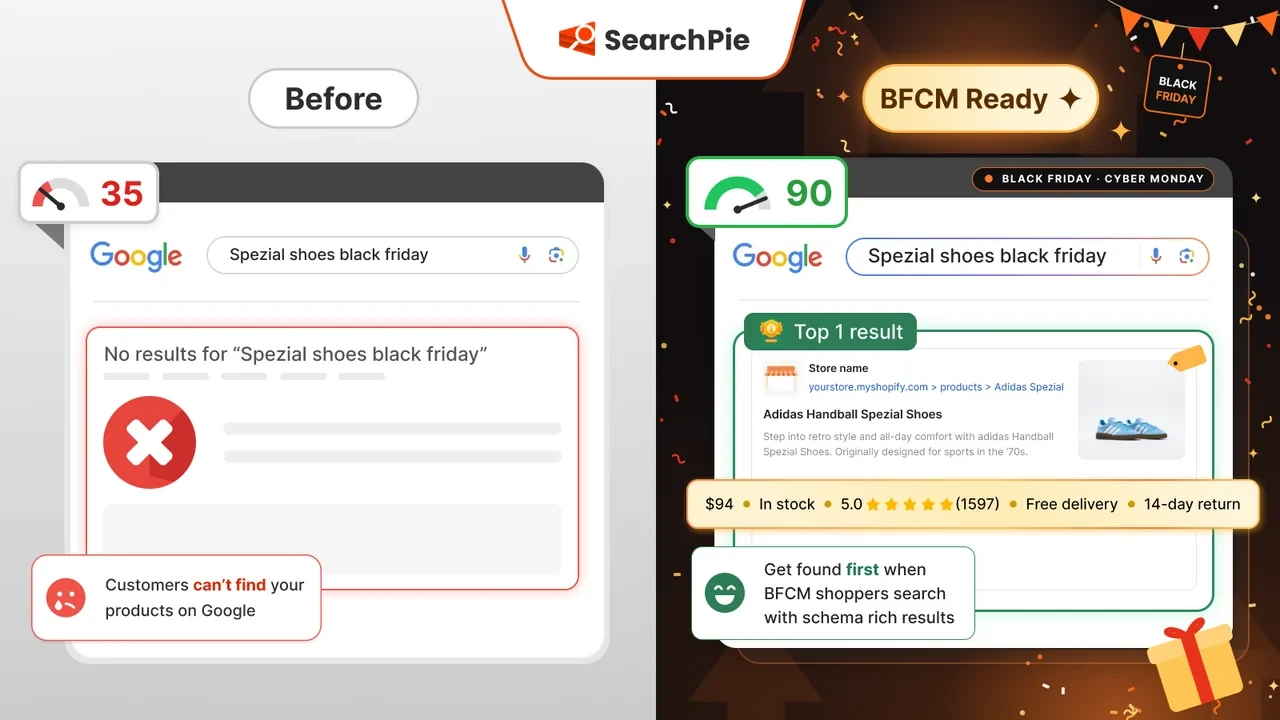
It supports a wider range of schema types than the other all-in-one apps covered here, including Breadcrumb, Store, Product price, Product rating, and FAQ schema.
SearchPie also offers image compression, bulk meta tags and alt text templates, AI-generated SEO tags, and backlink submission.
For technical SEO maintenance, the app can detect broken links and automatically repair 404 errors on supported plans. It also includes page-speed-related features.
How much does SearchPie cost?
| Plan | Price |
|---|---|
| Starter | Free |
| Premium | $39/month or $374.40/year |
| Enterprise | $99/month |
The free Starter plan includes a daily SEO score, Breadcrumb and Store schema, sitemap features, and compression for 50 images. You can also use bulk meta templates and detect 404 errors.
Premium increases the image compression allowance to 500 images and adds Product price, rating, and FAQ schema.
It also includes automatically optimized SEO tags, 250 AI requests, and automatic fixes for all detected 404 errors.
Enterprise adds unlimited image compression and keyword tracking.
Who should use SearchPie?
SearchPie suits stores that need structured data for product prices, ratings, and FAQs, along with automatic broken-link repairs.
Choose the plan carefully. The free tier includes basic schema, but the additional Product and FAQ schema features are available on Premium.
The $39 Premium plan is the relevant starting point if those features are why you’re installing SearchPie.
Shopify App Store rating: 4.9 from approximately 2,450 reviews.
5. Tapita
Tapita combines SEO management with page-speed optimization. Its multilingual SEO features make it an option for stores selling in multiple countries or languages.
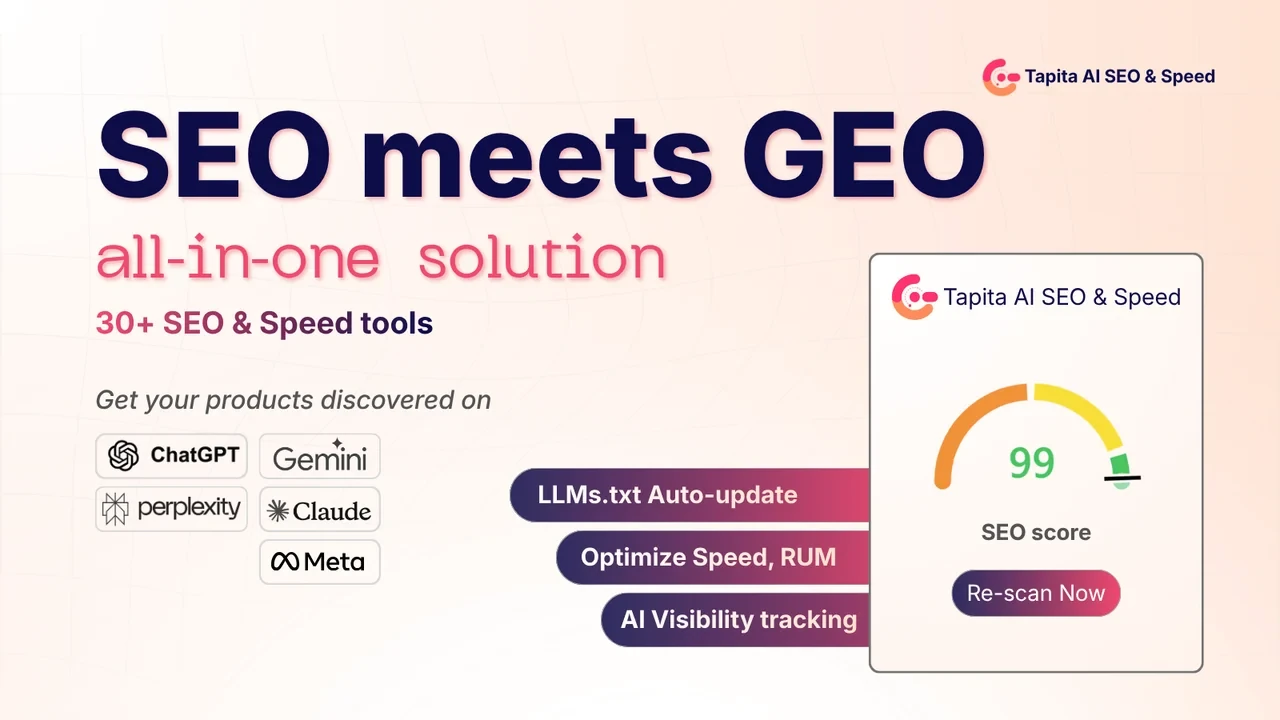
The app provides meta tag and schema tools, lazy loading, and other page-speed features.
It also connects with Google Search Console and includes AEO and GEO (generative engine optimization) features aimed at AI search.
Tapita is free to install, and some core SEO and speed features are available without a paid subscription.
How much does Tapita cost?
Paid plans start at $9.99 per month, although the amount you pay can be higher depending on your Shopify subscription.
The App Store listing shows additional charges on paid tiers of approximately:
| Shopify plan | Additional monthly charge |
|---|---|
| Shopify | $5 |
| Advanced | $30 |
| Plus | $60 |
These charges are added to the relevant Tapita subscription price.
For example, a merchant using Shopify Plus needs to account for the additional $60 monthly fee when comparing Tapita with other SEO apps.
Who should use Tapita?
Tapita makes sense for stores that want multilingual SEO and page-speed tools under one subscription.
It’s especially relevant if your store serves international customers and you need to manage SEO across different languages.
Check your theme and Shopify Markets configuration before installing it. Tapita can help manage multilingual SEO work, but it doesn’t replace the hreflang configuration required for your Markets setup.
Also calculate the price using your actual Shopify plan. The advertised $9.99 starting price may be considerably lower than your final monthly bill.
Shopify App Store rating: 5.0 from approximately 2,440 reviews.
6. StoreSEO
StoreSEO, developed by Storeware, uses a checklist and scoring system to help Shopify merchants identify SEO issues.
It reviews your store’s optimization and gives you tasks to work through. This approach can be useful if you’re learning SEO and want specific problems to fix.
StoreSEO supports product and blog SEO, meta tags, JSON-LD structured data, FAQ schema, and Local Business schema.
It also offers image optimization, SEO reports, an AI content generator, and features aimed at AI search.
How much does StoreSEO cost?
StoreSEO has a free plan covering up to 25 products.
The free plan includes an SEO score, 200 AI credits, and unlimited Product and Organization schema.
Paid subscriptions start at $14.99 per month. Higher plans support larger product catalogs.
Who should use StoreSEO?
StoreSEO is better suited to smaller Shopify stores that want a guided approach to SEO.
The free plan is useful if you have 25 products or fewer. Once your catalog exceeds that limit, you’ll need to review the paid tiers.
Because pricing depends on product count, check the subscription against your current SKU total and expected catalog size before installing.
Shopify App Store rating: 4.9 from approximately 560 reviews.
Best specialist Shopify SEO apps
The following apps focus on particular SEO tasks. They’re worth considering when you already know what needs fixing and don’t need an app to manage every part of your store’s SEO.
7. TinySEO (TinyIMG)
TinySEO, developed by TinyIMG, focuses on image optimization and page speed.
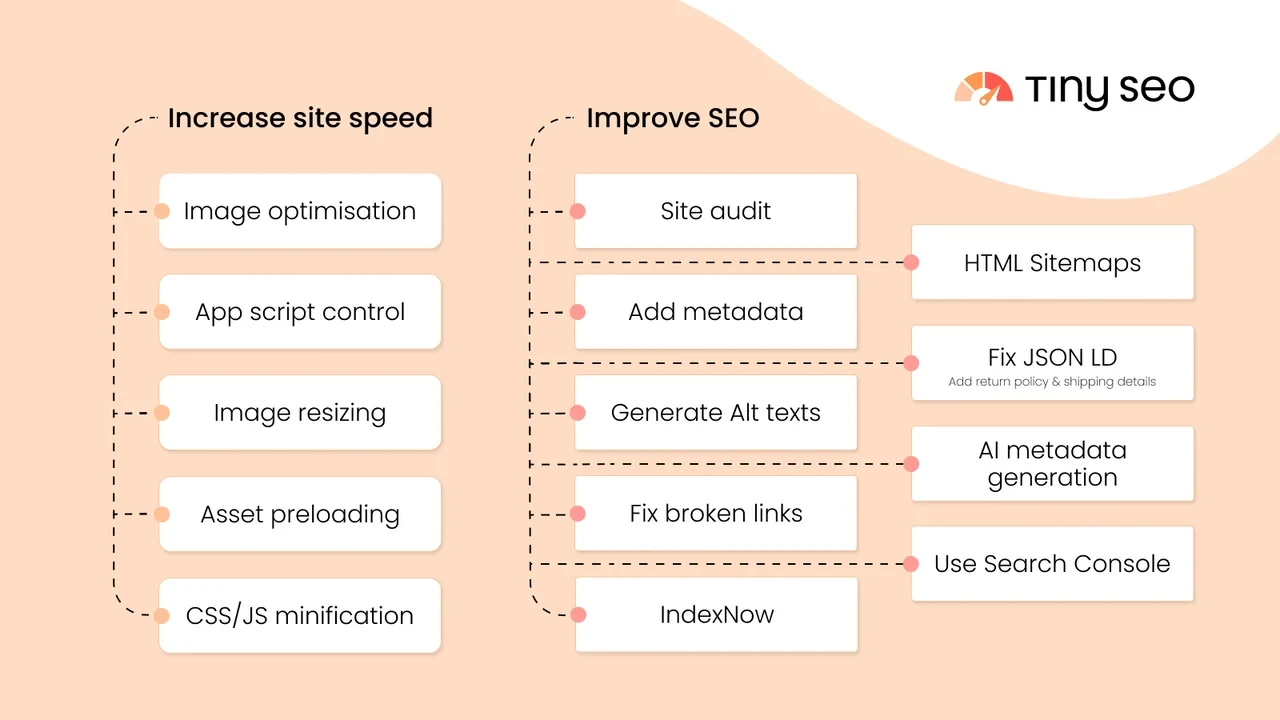
It’s useful for stores with large, uncompressed product images or unnecessary scripts affecting loading performance.
TinySEO compresses images, converts them to WebP, and supports lazy loading. It can also generate alt text and metadata in bulk.
Beyond images, the app includes broken-link detection, 301 redirect and 404 management, JSON-LD structured data, and meta tag generation.
Its script management features can help address JavaScript-related performance issues.
How much does TinySEO cost?
| Plan | Price |
|---|---|
| Free | $0 |
| Beginner | $14/month |
| Advanced | Approximately $23/month |
The free plan allows 50 image optimizations per month.
Additional images cost approximately $0.03 each. Paid plans increase the included image allowances.
If your store has thousands of images, review the allowance and additional usage costs before starting a bulk optimization.
TinySEO lets you set a spending cap in its settings. Use it to prevent unexpected charges.
Who should use TinySEO?
TinySEO is suited to stores with heavy product images and page-speed problems.
If your images are already compressed and your theme is well optimized, the performance improvement may be smaller.
Check your current page-speed results before installing the app so you can measure whether it changes anything.
Shopify App Store rating: 5.0 from approximately 2,230 reviews.
8. Ilana’s JSON-LD for SEO
Ilana’s JSON-LD focuses on structured data for Shopify stores.
It adds Schema.org markup that helps search engines understand information about your products and business, including prices, reviews, and other details.
That information can make your pages eligible for supported rich results in Google Search, although adding schema doesn’t guarantee that Google will display them.
The app includes expanded structured-data markup, audits, and ongoing rich-results monitoring.
It also supports Google Merchant Center and integrates with review platforms such as Judge.me and Stamped.io, along with more than 20 other review apps.
An SEO video course is included.
How much does Ilana’s JSON-LD cost?
There is one paid plan:
Annual Pro: $399 per year, equivalent to approximately $33.25 per month.
Billing is annual. There is no monthly subscription or permanent free plan.
A seven-day trial is available.
Who should use Ilana’s JSON-LD?
Consider Ilana’s JSON-LD if structured data is your main SEO requirement and you want an app dedicated to maintaining it.
Before installing, check the schema already generated by your Shopify theme.
If the theme outputs the same Product, Offer, or other structured data, adding another source can cause duplication.
Use Google’s Rich Results Test to inspect the existing markup first.
Shopify App Store rating: 4.9 from approximately 420 reviews.
9. Yoast SEO
Yoast is known for its WordPress SEO plugin. Its Shopify app offers similar on-page analysis and content guidance.
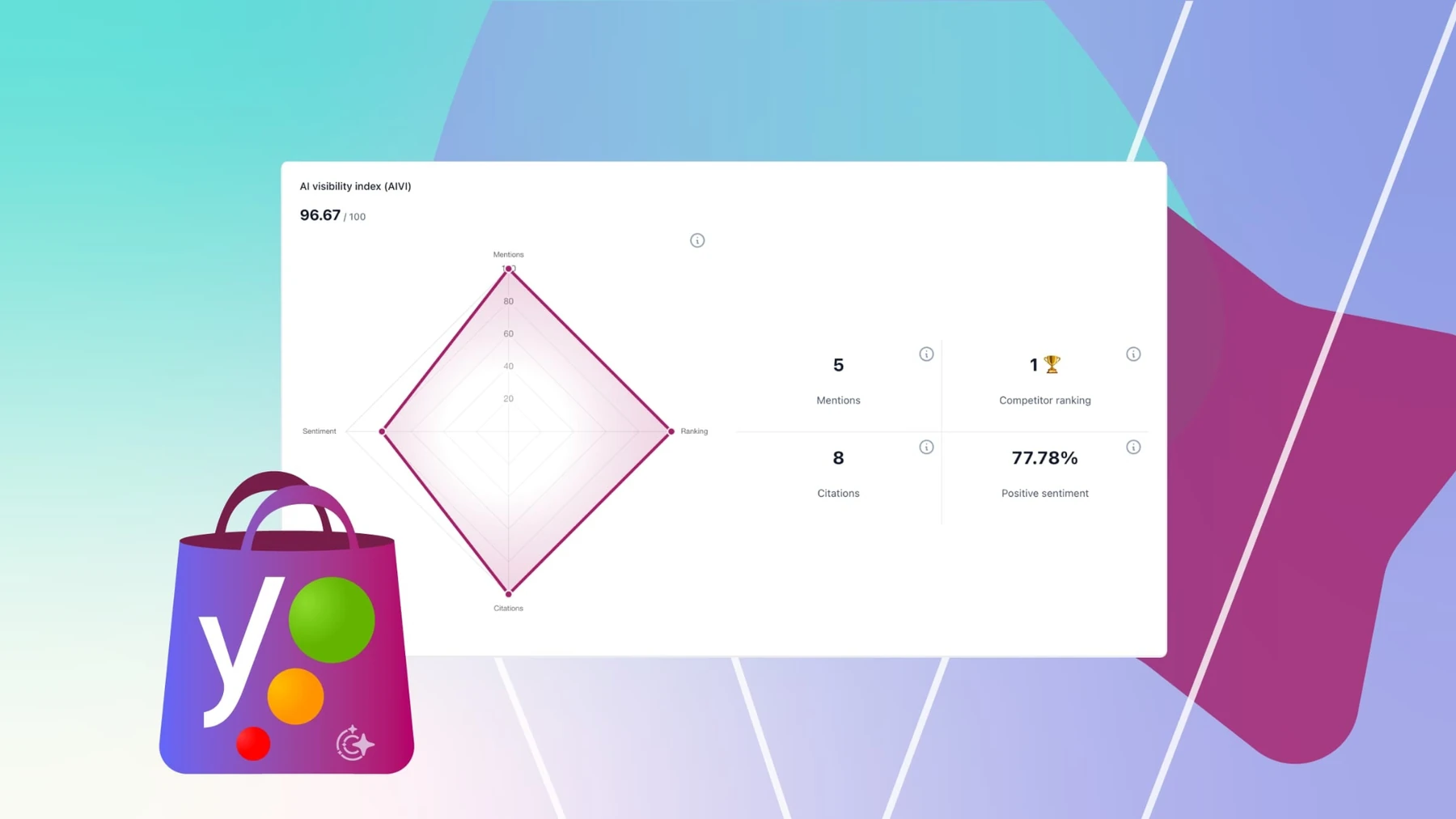
The app checks SEO elements and readability while you edit your content. It gives feedback that can help you understand where a product page or blog post needs work.
Yoast also handles automatic structured data and other technical SEO tasks.
Its features include bulk editing, integrations with Semrush and review apps, and access to SEO courses.
How much does Yoast SEO cost?
Yoast has one paid plan:
| Plan | Price |
|---|---|
| Yoast SEO Premium | $19/month or $190/year |
There is no permanent free tier.
A 14-day trial is available.
Who should use Yoast SEO?
Yoast suits store owners who want guidance while writing product descriptions, collection pages, and blog content.
It’s also worth considering if you prefer a fixed subscription price over plans with image or product-count allowances.
Some users have reported leftover code after uninstalling Yoast. Check your theme after removal to make sure any remaining markup has been cleaned up.
Shopify App Store rating: 4.6 from approximately 162 reviews.
Free vs. paid Shopify SEO apps: what are you actually paying for?
A low starting price doesn’t necessarily mean the app includes the feature you need.
Several Shopify SEO apps reserve certain functions for higher subscription tiers.
Here are the pricing restrictions worth checking:
| App | Feature or limitation | Plan or cost to check |
|---|---|---|
| Booster AI SEO | Image compression | Premium — $69/month |
| SearchPie | Product price, rating, FAQ schema, and automatic 404 fixes | Premium — $39/month |
| StoreSEO | Catalogs larger than 25 products | Paid plans from $14.99/month, depending on product count |
| Tapita | Shopify-plan-based surcharges | Additional charges up to approximately $60/month on Plus |
| TinySEO | More than 50 image optimizations per month | Extra usage charges of approximately $0.03 per image |
These differences matter when comparing apps with similar advertised prices.
For example, Booster Pro costs $39 per month, but image compression requires its $69 Premium plan.
SearchPie offers basic structured data for free. If you need product rating, price, or FAQ schema, you’ll need Premium.
TinySEO has a free plan, but the 50-image monthly allowance can be used quickly if you have a large product catalog.
The same applies to StoreSEO’s product limits. A store with 20 products can use its free tier, while a store with 500 products needs to budget for a paid subscription.
Check the subscription level that supports your current catalog and the specific feature you intend to use. Also distinguish between an app that reports SEO issues and one that actually updates the affected fields.
Which Shopify SEO app is best for your store size?
The number of products you manage affects how useful SEO automation will be.
Stores with fewer than 50 products
Start with Shopify’s built-in SEO settings.
You can write product titles and meta descriptions manually, update image alt text, and manage URL redirects from the admin.
If you have 25 products or fewer and want help identifying SEO issues, StoreSEO’s free plan is an option.
Smart SEO Pro, at $9.99 per month, is worth considering if you’d prefer automated optimization.
For a small catalog, manual editing may take less time than setting up and maintaining an app.
Stores with 300–500 products
Managing SEO across several hundred products takes more time, especially when descriptions and image alt text need regular updates.
Smart SEO, SearchPie, and Avada all support work across larger catalogs.
Your specific SEO tasks can help narrow the choice:
- Structured data: SearchPie offers Product, rating, price, and FAQ schema on Premium.
- Image optimization: Avada provides 1,500 image optimizations on its free plan. TinySEO is another option if page speed is the main concern.
- General SEO automation: Smart SEO supports automated meta tags, image optimization, and broken-link checks.
Check each app’s image and AI generation allowances before choosing a paid plan.
Stores with more than 10,000 SKUs
Large catalogs need bulk editing and enough usage allowance to cover thousands of products.
You’ll also need to check API limitations and the number of operations each plan supports.
Avada’s 1,500-image free allowance may help with an initial set of optimizations. Booster is another option if you want automatic SEO monitoring and fixes across the catalog.
Neither should be selected on its starting price alone.
Review the limits of the plan you’ll actually need, including any image optimization restrictions and higher-tier charges.
Multilingual and international Shopify stores
Tapita is one of the more relevant options in this comparison for multilingual SEO.
It supports SEO work across languages and includes performance-related features.
However, your Shopify Markets configuration and theme still need to handle hreflang correctly.
Check that setup before installing another app. Multilingual SEO software can help with management, but incorrect Markets or hreflang settings still need to be addressed.
Agencies managing multiple Shopify stores
If you manage SEO for several client stores, check how each app handles billing and exporting data.
A $39 monthly subscription on one store becomes a separate expense when you need the same app across multiple client stores.
Calculate the cost for each client and check whether the app provides the export options your reporting process requires.
Avoid installing multiple general-purpose SEO apps on the same store unless there’s a specific reason. They may create overlapping changes to structured data or theme code.
What should you check before installing a Shopify SEO app?
Some SEO apps modify your Shopify theme or add scripts to the storefront.
Those changes can create problems if the app duplicates existing functionality or leaves code behind when removed.
1. Check for duplicate structured data
Your theme may already generate Product, Offer, and Breadcrumb schema.
If an SEO app adds the same markup, Google may find duplicate or conflicting structured data.
Open your product pages in Google’s Rich Results Test before installing the app.
Run the test again after installation and compare the detected markup.
If two sources are generating the same schema, review which one should remain.
2. Check whether the app adds scripts
Apps that inject JavaScript into the storefront can affect loading performance.
Extra scripts may also contribute to Interaction to Next Paint (INP) problems.
Installing two SEO apps with overlapping features may add unnecessary script weight.
Use Google PageSpeed Insights to measure performance before and after installation.
Pay attention to changes in loading time and Core Web Vitals rather than relying on an app’s advertised speed improvements.
3. Check what happens when you uninstall
Removing an SEO app doesn’t always remove every change it made.
Some apps may leave schema markup, theme code, or redirects behind. Uninstall residue has also appeared in user reports involving Yoast SEO.
After removing an app, inspect the storefront’s rendered HTML and check for any remaining structured data or scripts.
Review your redirects as well.
A safer way to install an SEO app
Before installing an app on your live store:
- Duplicate your current Shopify theme to keep a backup.
- Record the existing structured data and redirects.
- Install the app on a duplicated, unpublished theme first, where the app supports that workflow.
- Check the rendered HTML, schema, and redirects for changes.
- Confirm that the app hasn’t duplicated existing markup before using it on the live storefront.
If you later uninstall the app, check the storefront source again for leftover code.
Testing changes on an unpublished theme can help you identify problems before they affect customers.
How we evaluated these Shopify SEO apps
We reviewed 30 competing articles and checked the nine apps against their official Shopify App Store listings on November 2, 2026.
For each app, we recorded its plan names, prices, free-plan allowances, ratings, and review counts. We also examined the SEO features advertised in the listings.
We didn’t install all nine apps or run live-store performance benchmarks. Claims about app capabilities are based on their published descriptions.
We haven’t independently measured changes in page speed, search rankings, or indexing after installing these apps.
The prices in this comparison reflect the listings available on November 2, 2026. Check the current Shopify App Store page before subscribing because pricing, included features, and usage limits can change.
Frequently asked questions
Does Shopify need an SEO app?
No. Shopify includes editable SEO titles, meta descriptions, image alt text, automatically generated XML sitemaps, canonical tags through the platform and theme, and a built-in 301 redirect tool.
An app becomes useful when you need bulk editing, advanced structured data, or automated maintenance.
For a small store, Shopify’s existing features may be enough.
What is the best free SEO app for Shopify?
Avada is worth considering if image optimization is your main requirement. Its free plan includes 1,500 image optimizations.
Smart SEO has a free plan covering meta tags, image optimization, and broken-link checks, although its allowances are lower.
Tapita is also free to install and includes core SEO and speed features.
Compare the actual free-plan features before choosing. Some apps advertise free trials without offering a permanent free tier.
Can two Shopify SEO apps conflict with each other?
Yes. Two apps may generate the same Product or Breadcrumb schema, leaving duplicate structured data on your pages.
They can also inject overlapping scripts that affect loading speed.
It’s generally better to use one SEO app for overlapping tasks. If you need a second app for a separate function, inspect your rendered HTML and test performance after installation.
Will an image SEO app improve Core Web Vitals?
Image compression can help reduce page weight, but it doesn’t guarantee better Core Web Vitals.
Largest Contentful Paint (LCP), for example, can also be affected by your theme, hosting, and script loading.
Measure your page performance with Google PageSpeed Insights before and after making changes.
A compression percentage alone won’t tell you how much faster your store has become.
Does Shopify automatically create Product schema?
Many Shopify themes include basic Product schema, but the exact markup depends on the theme.
Check a product URL in Google’s Rich Results Test to see what structured data is already present.
If your theme generates valid Product schema, review whether an additional schema app would provide anything useful before installing it.
Can a Shopify SEO app guarantee higher Google rankings?
No. SEO apps can help optimize page content and fix technical issues, but they cannot guarantee rankings or indexing.
Google’s rankings depend on factors beyond what an app can control.
Treat any promise of guaranteed rankings or indexing with caution.
How to choose your Shopify SEO app
Start with the SEO work you’re currently doing manually.
If you’re spending hours editing product metadata, look at Smart SEO or another app with bulk editing. For large image catalogs, compare Avada and TinySEO. SearchPie and Ilana’s JSON-LD are worth reviewing if your store needs additional structured data.
Check whether Shopify already handles the task and identify the cheapest subscription tier that includes the feature you need.
Before installation, back up your theme and record your current SEO and performance results.
After a month, review what the app actually changed. Check how much manual work it replaced, whether the intended issues were fixed, and whether the subscription still makes sense for your store.
Continue reading on RightCadence
SEO helps customers find your store. These guides cover what happens after the first visit: How to increase repeat purchase rate · Shopify lifecycle marketing