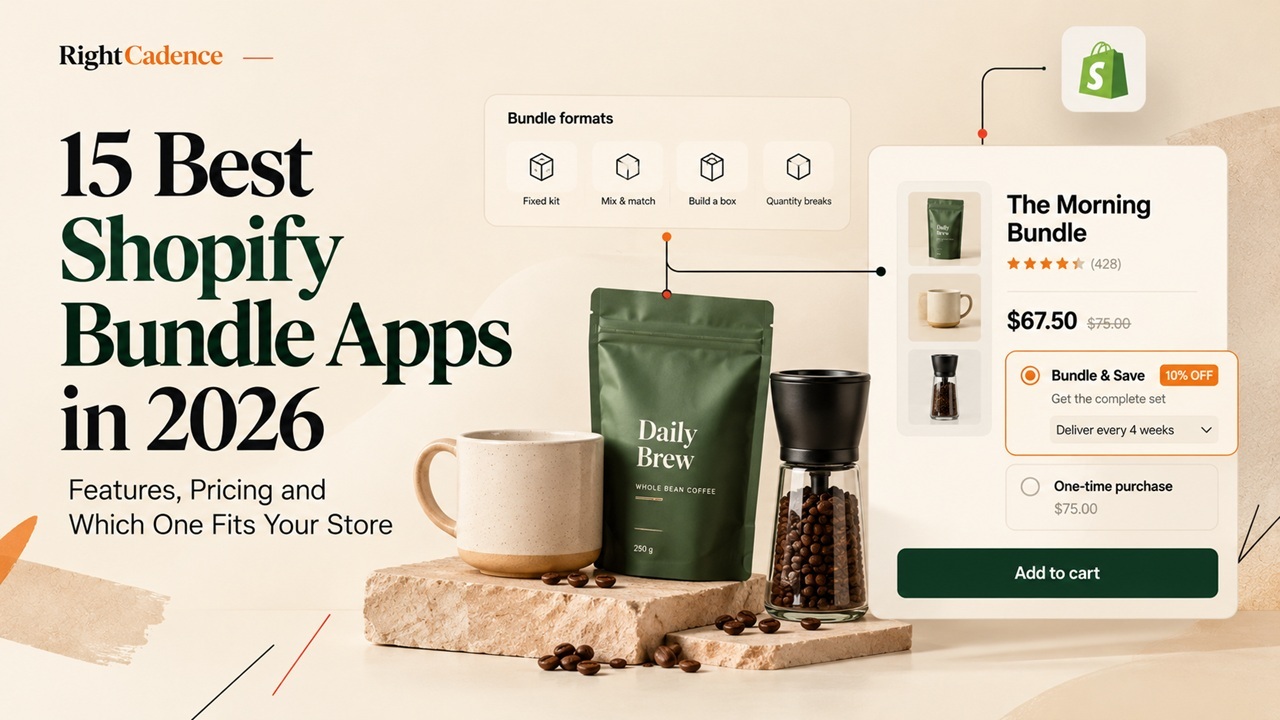
Pick your bundle format first, then your app. For most stores the honest starting point is the free native app: Shopify Bundles handles fixed kits and multipacks with true inventory deduction at no cost. Move to a third-party app when you hit a specific wall. If you want mix-and-match or build-a-box, look at Simple Bundles, Easy Bundles or FoxSell. If your lever is volume pricing, Bundler, Pumper and Kaching are built for quantity breaks. If fulfillment accuracy through a 3PL is the thing that keeps you up at night, Simple Bundles and Bundles.app lead on real component line items. The rest of this guide shows how each app differs on format, price and operations, so you can match one to your store rather than to a listicle’s favorite.
The hard part is rarely the setup. It is that two apps can look identical on a product page and behave completely differently at checkout, in your stock counts and in your 3PL’s packing slip. That gap is where merchants lose money, and it is what this comparison is built to expose.
This guide is written for the selection decision first. If you sell replenishable products and your real question is what happens after the first bundle sells, the repeat-buyer section is written for you.
AI insight extraction
Reading article context…
Key takeaways
- Best overall Shopify bundle app: Fast Bundle stands out for its versatility, offering fixed bundles, mix-and-match deals, volume discounts, and upselling features.
- Best free and budget-friendly options: Shopify Bundles is ideal for basic kits and multipacks at no extra cost, while Bundler and Appstle offer affordable bundling solutions for growing stores.
- Best for inventory and fulfillment: Simple Bundles & Kits and Bundles.app help merchants synchronize inventory, manage product components, and streamline order fulfillment.
- Best for volume discounts: Kaching Bundles, Pumper Bundles, Wide Bundles, and Unlimited Bundles & Discounts help merchants encourage bulk purchases through quantity breaks and discounted product combinations.
- Best for customizable bundles: Simple Bundles and Easy Bundles support customer-selected boxes and mix-and-match kits.
- Best for BOGO and free-gift promotions: BOGOS specializes in Buy One Get One offers, gift-with-purchase campaigns, and promotional bundles to encourage additional purchases.
- Best for cross-selling and upselling: Essential Upsell & Cross Sell and Zoorix help merchants increase average order value through complementary product recommendations, bundle deals, and upsell offers.
- Pricing and free plans vary: Some Shopify bundle apps are completely free, while others offer limited free tiers, monthly subscriptions, or revenue-based pricing. Merchants should compare costs and usage limits before choosing.
- Choosing the right app matters: The best Shopify bundle app depends on your store’s budget, product catalog, customization requirements, and inventory needs. Selecting the right solution can help increase average order value (AOV), improve the shopping experience, and drive more sales.
Best Shopify bundle apps at a glance
Start here, then read the full review of the two or three apps that match your format and fulfillment setup. Ratings and prices are the 21 October 2026 snapshot.
| App | Rating (reviews) | Best for | Free live-store plan? | Starting paid rate |
|---|---|---|---|---|
| Shopify Bundles (native) | First-party | Fixed kits and multipacks with no added cost | Yes, free | Free |
| Simple Bundles & Kits | 4.9 (807) | 3PL, ERP and multi-location fulfillment | Yes, 3 bundles / 50 orders | $14/mo |
| Fast Bundle | 5.0 (2,800+) | An all-rounder across most formats | No, dev stores only | $19/mo (to $1k sales) |
| Bundler - Product Bundles | 4.9 (2,740) | Budget start and quantity breaks | Yes, unlimited | $9.99/mo |
| Kaching Bundles | 5.0 (5,146) | Volume and quantity-break pricing | No, dev stores only | $14.99/mo (to $1k) |
| Vitals | 4.9 (2,982) | Bundles within a 40+ tool conversion suite | No, 7-day trial | $29.99/mo |
| BOGOS: Free Gift Bundle Upsell | 5.0 (4,522) | Gift-with-purchase and BOGO | Yes, 30 orders lifetime | $29.99/mo |
| FoxSell Bundle Builder | 5.0 (98) | A free-to-start all-rounder with inventory management | Yes, to $1k sales | $49/mo (to $5k) |
| Wide Bundles | 4.9 (320) | Simple product-page bundles | No, dev stores only | $14.99/mo (to $500) |
| Zoorix | 4.9 (389) | Bundles plus cross-sell, low entry cost | Yes, free forever | $7.99/mo |
| Essential Upsell & Cross Sell | 5.0 (rating varies over time) | FBT, product-page, cart and post-purchase upsells | Yes, up to $100 generated monthly | $9.99/mo |
| Pumper Bundles | 4.9 (3,560) | Quantity breaks on a tight budget | Yes, to $300 sales | $9.99/mo (to $1k) |
| Unlimited Bundles & Discounts | 4.8 (725) | Discounted groupings, flat fee | Yes, to $100 sales | $9.99/mo |
| Easy Bundles: Bundle Builder | 4.9 (1,436) | Build-a-box, excluding Plus/Advanced | Yes, to $500/mo | $29/mo (to $3k) |
| Bundles.app - Inventory Sync | 4.9 (323) | Plus and high-order-volume inventory sync | No, 15-day trial | $19/mo |
Pro tip: Before you install anything, open your Shopify admin and check whether the free Shopify Bundles app already does what you need. If your plan is “three products, one fixed price, one discount,” you may be about to pay monthly for something the platform includes.
The 15 best Shopify bundle apps in 2026
Each entry names the merchant it fits, then its features and its pricing. Figures are the 21 October 2026 snapshot from the Shopify App Store and vendor pricing pages. Fast Bundle figures were taken from a secondary directory in the original research and should be reconfirmed against its official pricing page. FoxSell figures in this revision are based on vendor and Shopify App Store information.
1. Shopify Bundles (native)
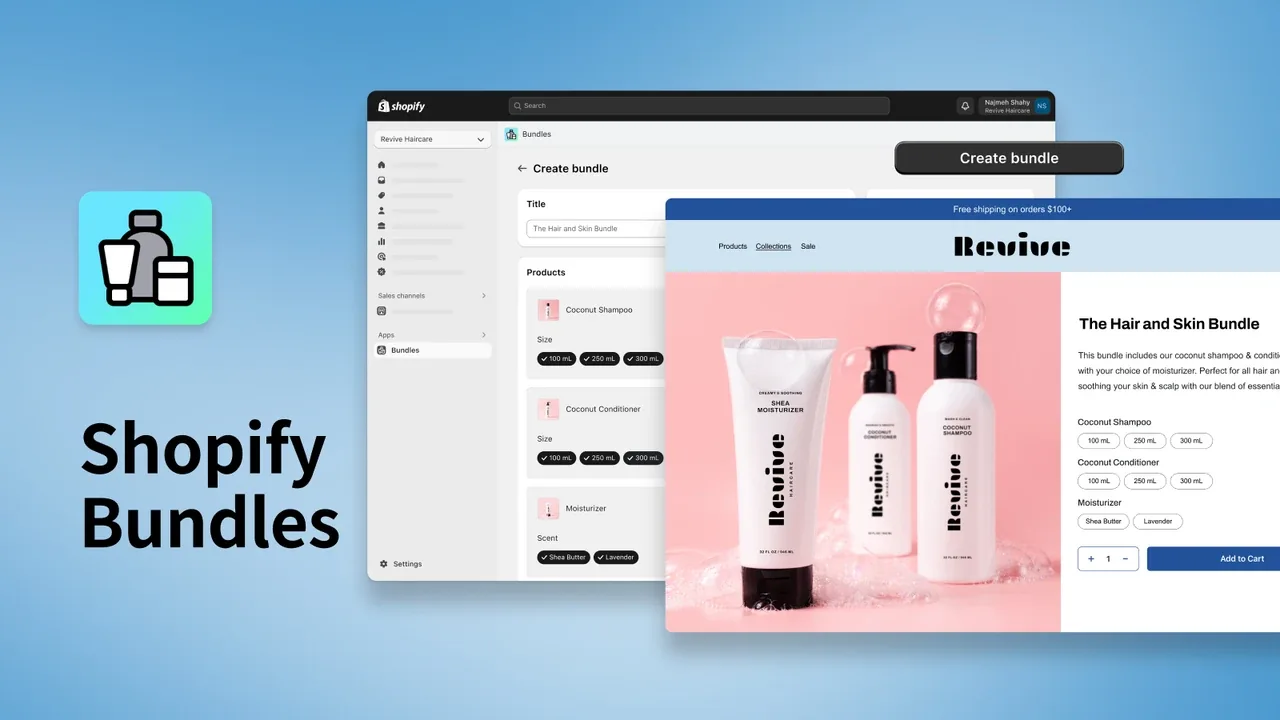
The free first-party app that most stores should try before paying for anything. Shopify Bundles creates fixed kits and multipacks directly in your admin, deducting each component from inventory so your stock counts stay accurate.
- Best for: stores whose needs are fixed kits or multipacks and who want zero added cost or scripts.
- Not ideal for: mix-and-match, build-a-box, BOGO, or any store that needs component prices to update automatically.
Features
- Formats: fixed bundles and multipacks.
- Deducts each component from inventory, so stock counts stay accurate.
- Limits: up to 30 components in a fixed bundle, up to 3 options, and up to 100 variants, with inventory tracked by overall stock rather than by location.
- Component price changes do not flow through automatically; you update the bundle price by hand.
Pricing
Free on every Shopify plan, with no paid tier. It is a first-party Shopify app.
2. Simple Bundles & Kits
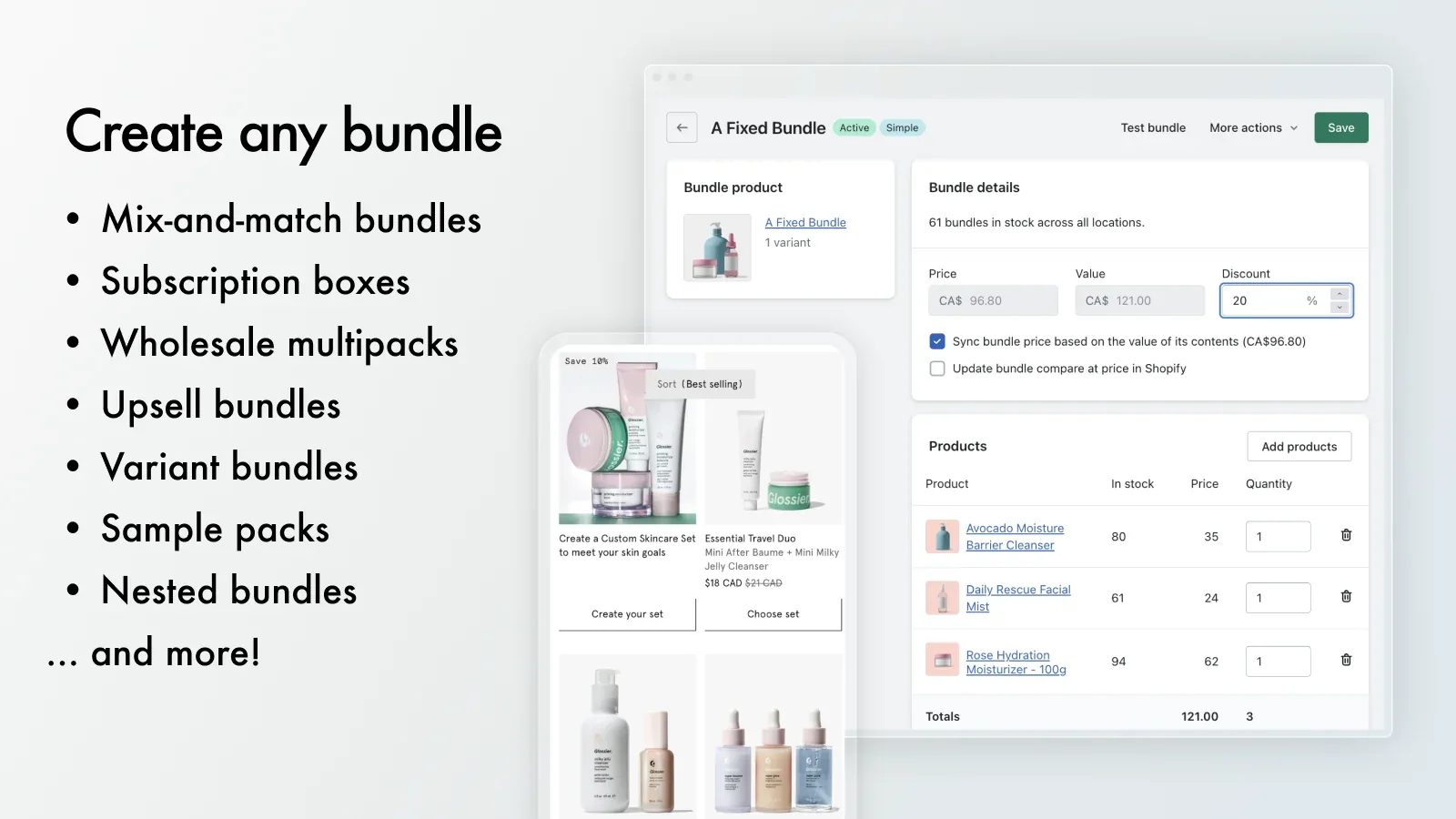
The app to choose when fulfillment accuracy matters more than the storefront widget. Simple Bundles is built around real component line items, so a bundle order breaks into its parts for your warehouse, 3PL or ERP rather than shipping as one opaque SKU. It carries Shopify’s Built for Shopify badge.
- Best for: merchants with a 3PL, multi-location inventory, or ERP who need orders to split cleanly into components.
- Not ideal for: stores that mainly want a flashy upsell widget and do not care about back-end order structure.
Features
- Formats: fixed, multipack, mix-and-match, variant, infinite option, build-a-box, gift and mystery boxes, subscription boxes, wholesale.
- Automatic SKU breakdown into component line items for fulfillment.
- Multi-location inventory, POS, and on higher tiers Shopify Flow, Hydrogen and headless support.
- Rated 4.9 stars from 807 reviews.
Pricing
Free plan covers up to 3 bundles and 50 monthly orders. Basic is $14/month for unlimited bundles and single-location POS. Grow & Advanced is $39/month. Plus is $149/month for headless and a dedicated order-processing queue.
3. Fast Bundle
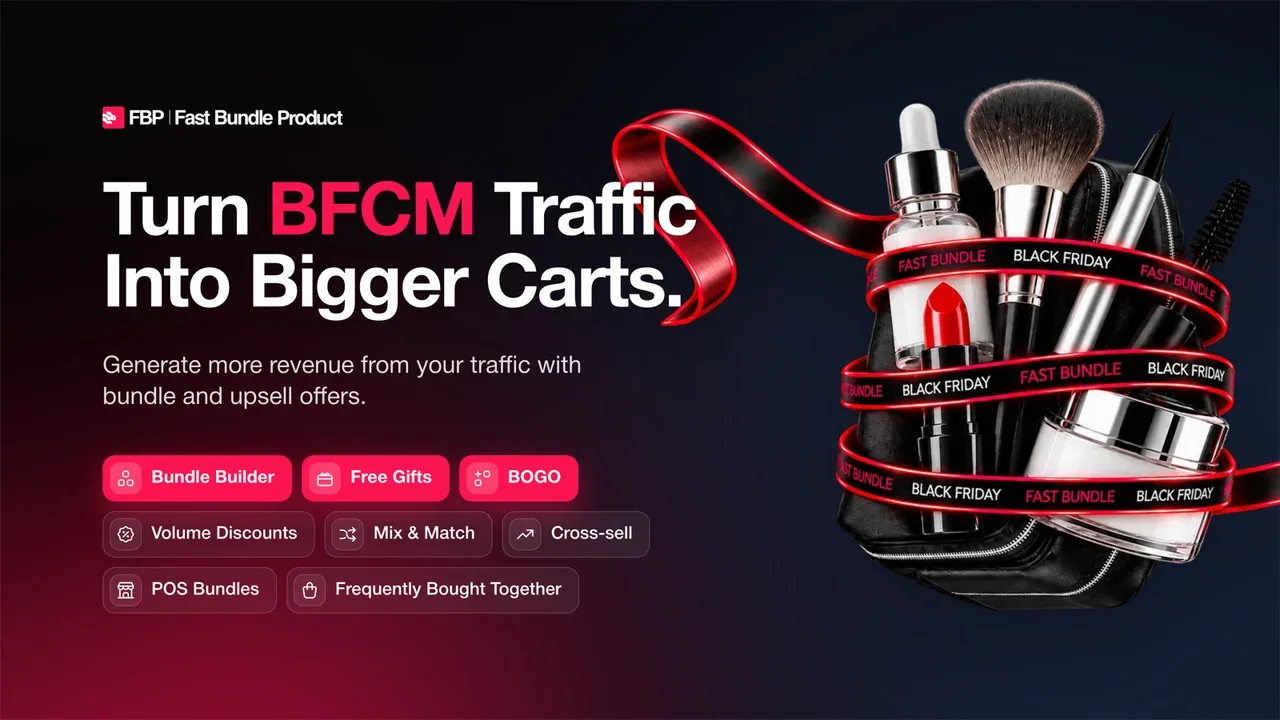
A broad all-rounder that covers most bundle formats in one app. If you want fixed kits, mix-and-match, quantity breaks, BXGY and frequently-bought-together without stitching together several tools, Fast Bundle is designed to be the single install.
- Best for: stores that expect to run several bundle formats and want them in one place.
- Not ideal for: a merchant who wants the simplest possible single-format setup, or one that needs a free plan on a live store.
Features
- Formats: fixed, mix-and-match, quantity breaks, BXGY, FBT.
- Covers most bundle formats in a single install instead of several stitched-together tools.
- Rated 5.0 stars from more than 2,800 reviews.
Pricing
Free to install for development stores only; a live store needs a paid plan. Pricing scales with monthly bundle sales: Tier 1 $19/month up to $1,000, Tier 2 $49/month up to $3,000, Tier 3 $139/month up to $10,000, each with a 7-day trial. [Reconfirm on fastbundle.co; figures came via a third-party directory.]
4. Bundler - Product Bundles
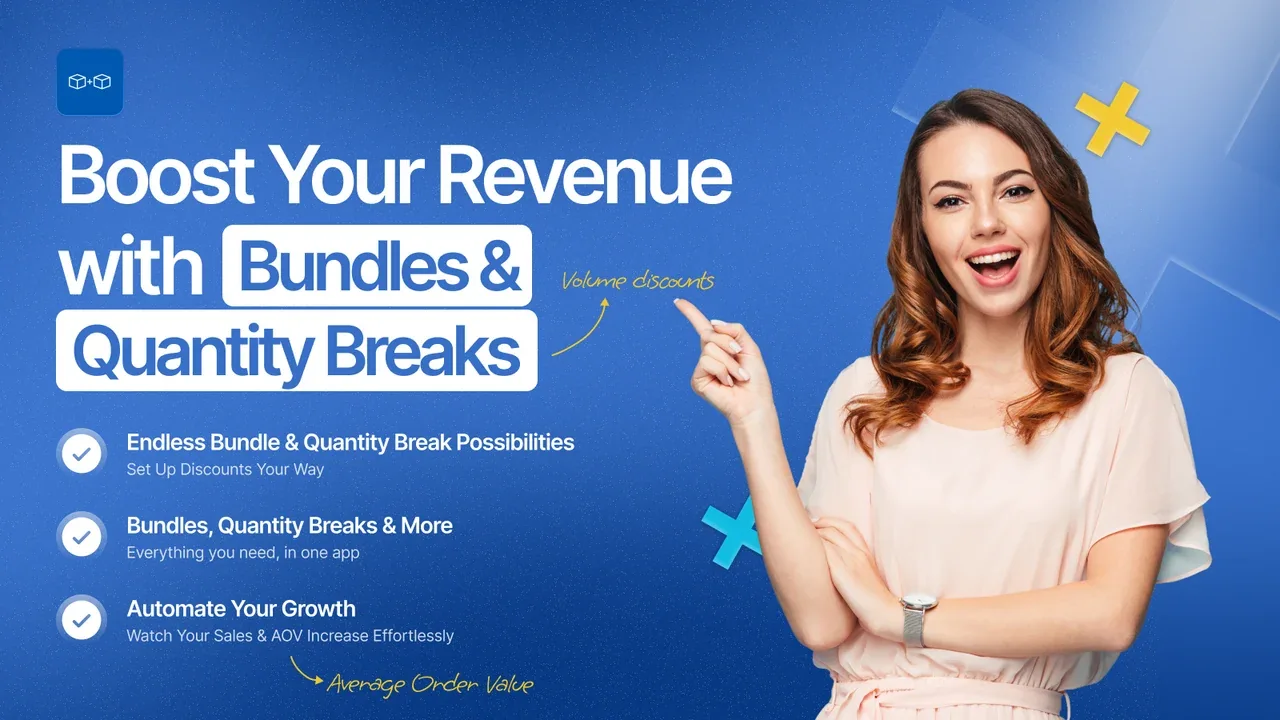
A genuinely free way to launch bundles and quantity breaks, with mix-and-match on a cheap upgrade. Bundler stands out because its free plan carries no revenue or order cap, which is rare in this category.
- Best for: price-sensitive merchants who want fixed bundles, quantity breaks or BOGO running on a live store at no cost.
- Not ideal for: operations-heavy stores needing deep 3PL, ERP or multi-location component handling.
Features
- Formats: fixed, multipacks, mix-and-match (paid), quantity breaks, Buy X Get Y, BYOB, FBT, custom.
- Free plan includes unlimited revenue and orders, volume discounts, product-page upsells, Shopify POS and auto-apply discounts.
- Rated 4.9 stars from 2,740 reviews.
Pricing
Free plan with no revenue cap. Premium is $9.99/month and adds mix-and-match, tiered and sectioned mix-and-match, custom landing pages and funnel upsells. Executive is $19.99/month and adds bundle analytics. Paid plans include a 7-day trial.
5. Kaching Bundles
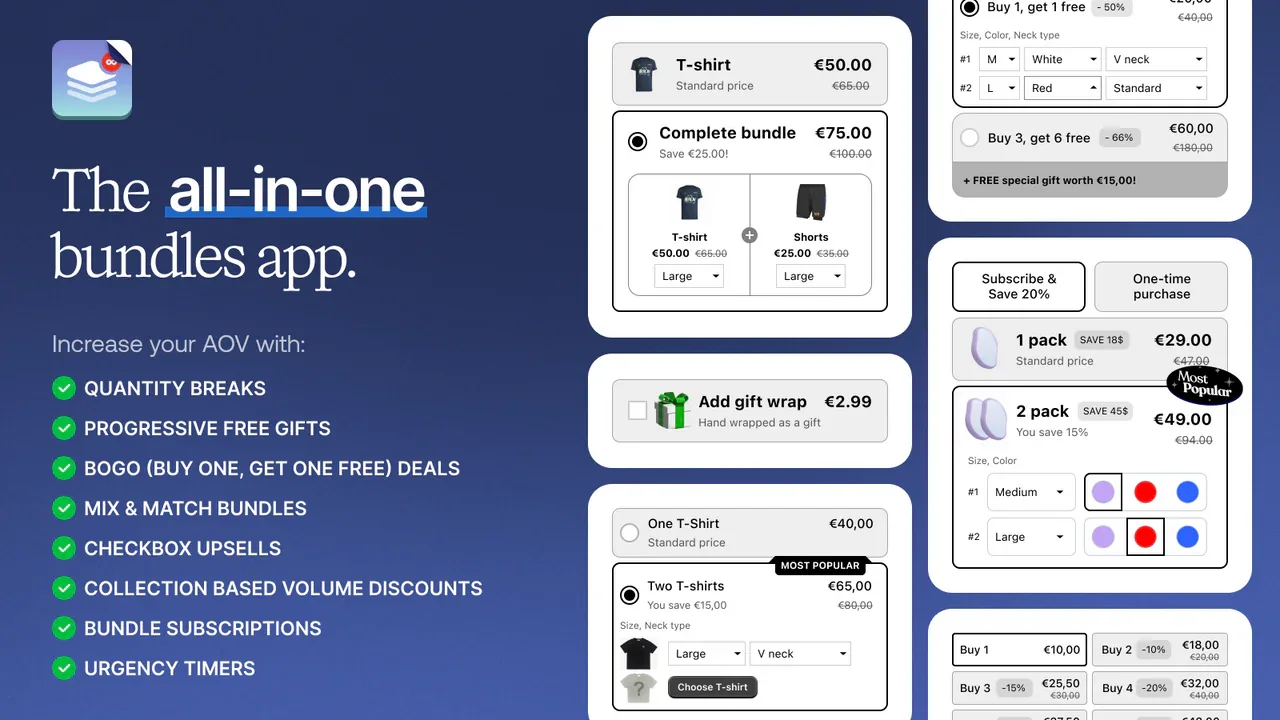
Built for volume and quantity-break pricing rather than fixed kits. Kaching leans into “buy more, save more” mechanics, which suits consumable and multipack-driven catalogs, and has one of the largest review counts in the category.
- Best for: stores whose main lever is quantity discounts, volume tiers and BOGO.
- Not ideal for: merchants who need a free plan on a live store, or fixed curated kits with component-level fulfillment.
Features
- Formats: quantity breaks, volume, BOGO, fixed, multipack, mix-and-match, FBT, subscription, wholesale, custom.
- Multiple layouts and customization for the offer display.
- Rated 5.0 stars from 5,146 reviews.
Pricing
Free to install for development stores only. Paid plans scale with additional revenue: Starter $14.99/month up to $1,000, Scale $29.99/month up to $5,000, Pro $59.99/month up to $10,000, each with a 7-day trial.
6. Vitals
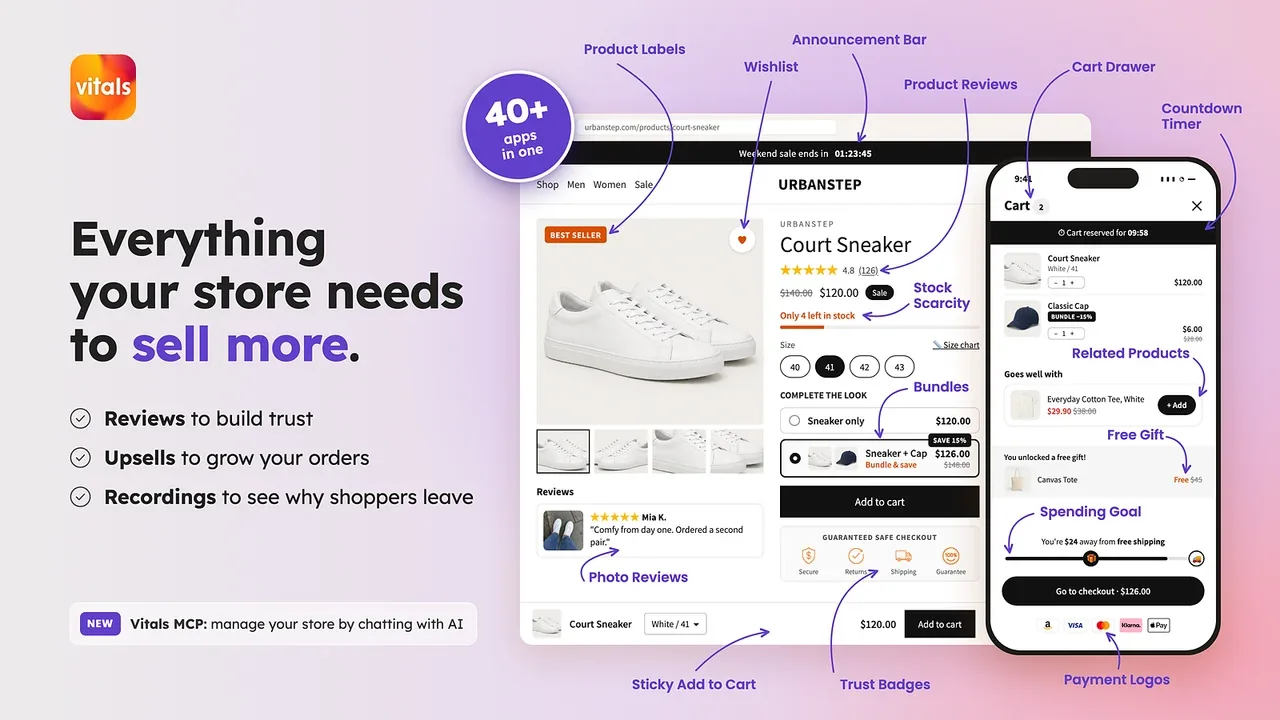
Bundles as one module inside a large all-in-one conversion suite. If you are already paying for Vitals for reviews, upsells and other tools, its bundle feature may cover your needs without another subscription.
- Best for: stores that want bundles alongside 40-plus other conversion features in a single app.
- Not ideal for: a merchant who wants a dedicated, deep bundle tool and nothing else.
Features
- Formats: fixed, mix-and-match, variant, upsell, cross-sell, FBT; pricing options include quantity breaks and BOGO.
- Bundles sit alongside reviews, visitor recordings, pop-ups, back-in-stock alerts and more.
- Rated 4.9 stars from 2,982 reviews.
Pricing
One All-in-One plan at $29.99/month with a 7-day trial and no free plan. Usage fees apply after about $1,000/month in Vitals-attributed sales, starting at $10/month.
7. BOGOS: Free Gift Bundle Upsell
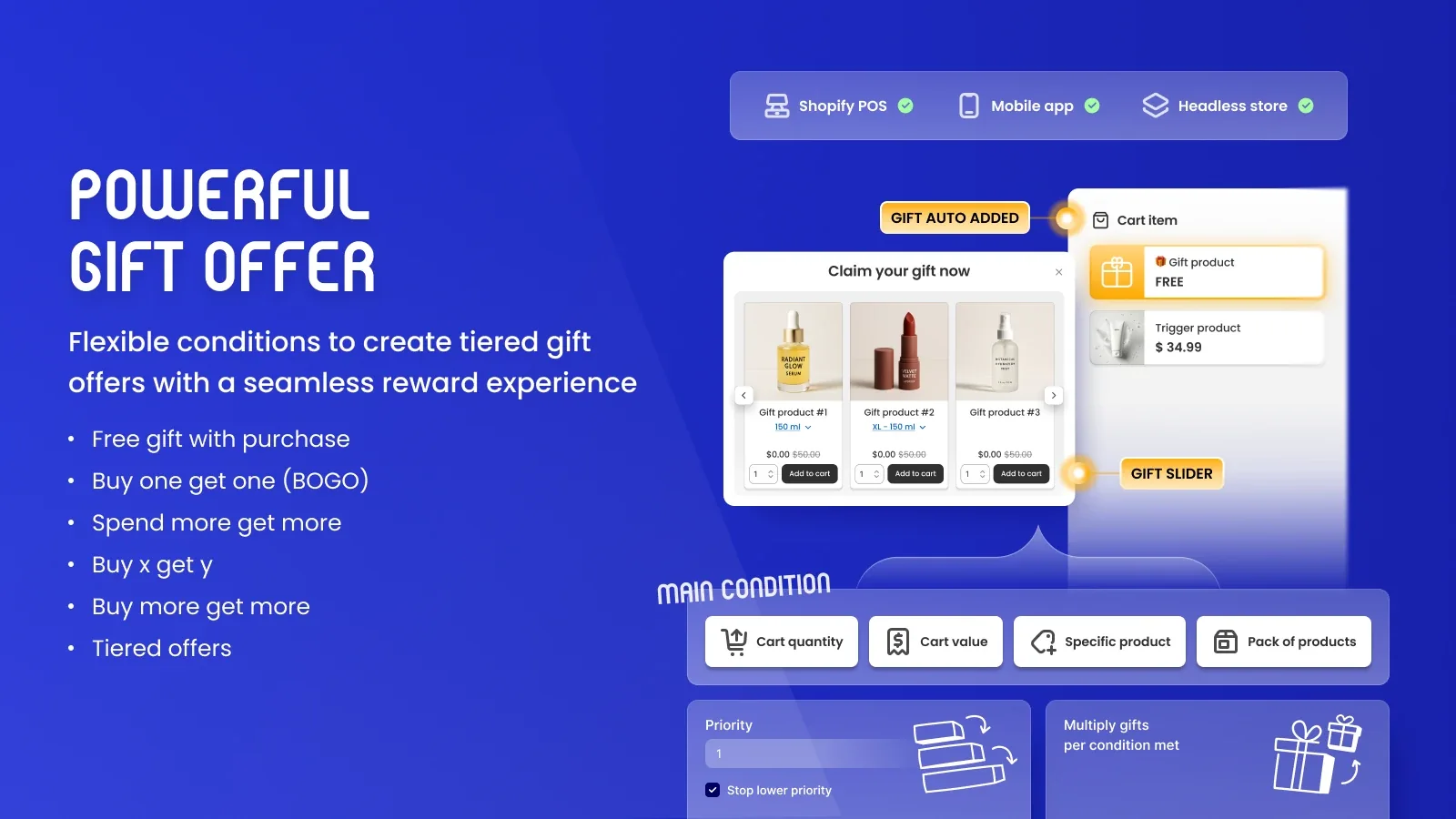
The specialist for gift-with-purchase and buy-one-get-one offers, formerly known as Free Gifts by Secomapp. BOGOS centers on promotional mechanics where the “bundle” is a conditional gift or discount rather than a stocked kit.
- Best for: stores running free-gift thresholds, BOGO and BXGY promotions.
- Not ideal for: merchants who need a true bundle SKU with component inventory for fulfillment.
Features
- Formats: BOGO, Buy X Get Y, free gift with purchase, plus fixed, multipack, mix-and-match, build-a-box, upsell, cross-sell and FBT bundles.
- Order-based plans with per-order overage, plus checkout upsell and headless support on the top tier.
- Rated 5.0 stars from 4,522 reviews.
Pricing
Free plan covers 30 orders lifetime. Basic is $29.99/month (300 orders/month, then $0.05 per order, Basic stores). Grow is $49.99/month (600 orders). Plus is $109.99/month (2,000 orders, Plus stores). Paid plans include a 7-day trial.
8. FoxSell Bundle Builder
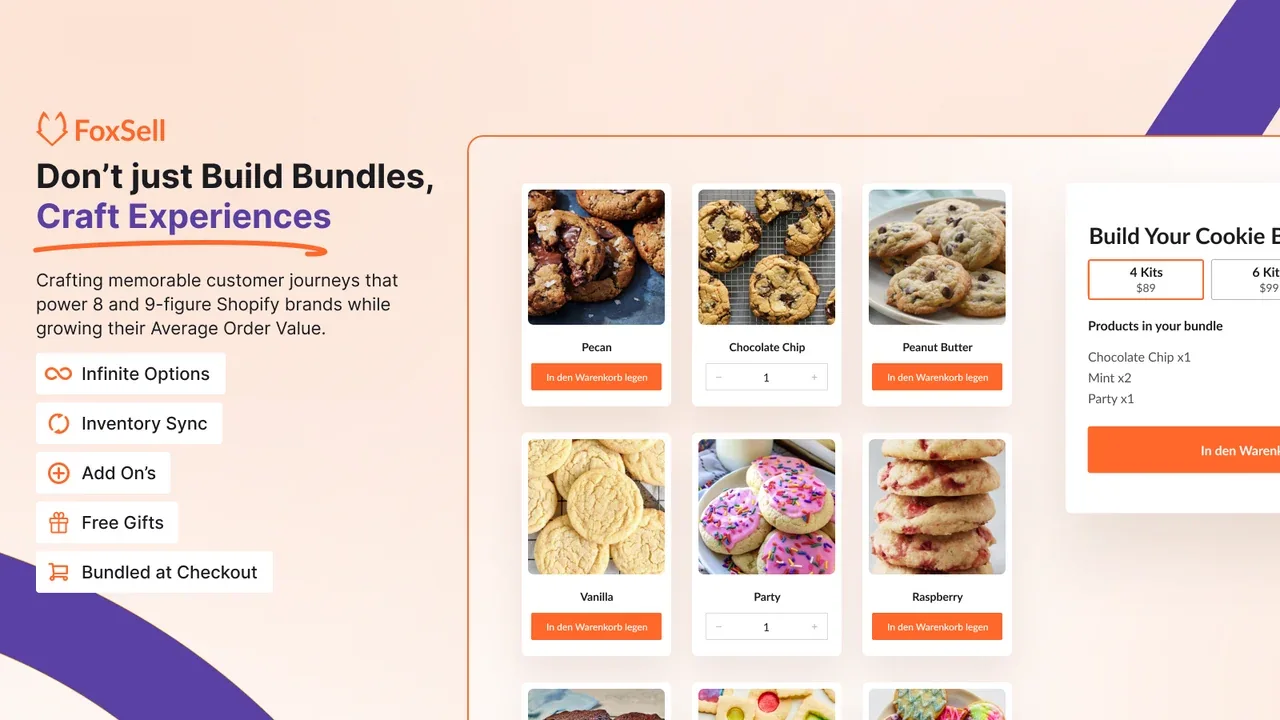
A bundle builder for configurable product combinations and component-aware inventory. FoxSell supports fixed bundles, mix-and-match, quantity breaks and build-your-own-box offers. Its feature and plan details below come from the vendor website and Shopify App Store listing, rather than an independent store test.
- Best for: brands running guided mix-and-match offers, build-a-box, and bundles with inventory management.
- Not ideal for: a store that only needs the free native fixed-kit tool.
Features
- Formats: fixed bundles, mix-and-match, bundle builder, volume bundles, quantity breaks, free gifts and add-ons.
- Tracks bundle inventory and supports customizable product selection and purchase flows.
- Offers configurable design and bundle templates.
Pricing
The Starter plan is free to install for up to $1,000 in monthly bundle sales. Pro is $49/month up to $5,000; Scale is $149/month up to $15,000; Growth is $249/month up to $25,000. Paid plans list a 14-day free trial. Confirm the current vendor pricing and Shopify App Store listing.
9. Wide Bundles - Quantity Breaks
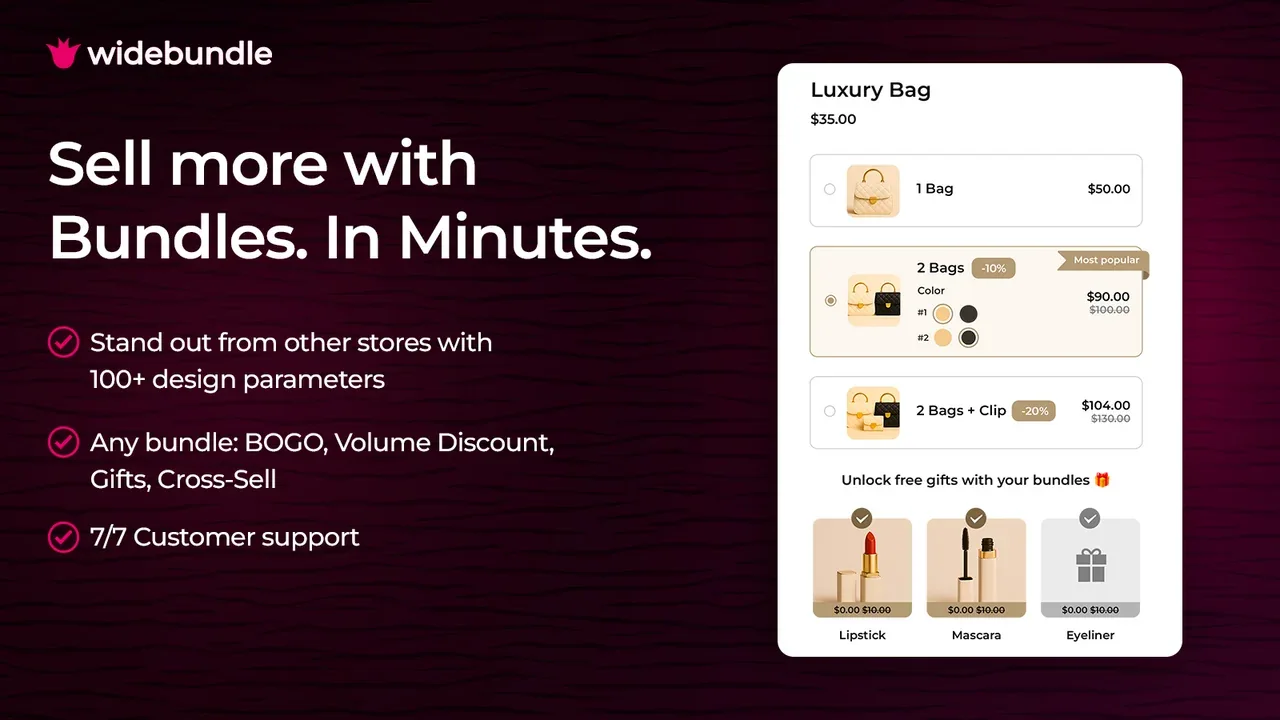
A focused tool for simple bundle offers presented on the product page. Wide Bundles keeps the merchandising close to the buy button, which suits stores whose bundles are an on-page choice rather than a separate landing experience.
- Best for: stores wanting clean product-page bundle and quantity-break offers.
- Not ideal for: complex operations, or a store that needs a free live-store plan.
Features
- Formats: fixed, multipack, mix-and-match, variant, upsell, cross-sell, custom.
- 100-plus customization options and built-in A/B testing.
- Rated 4.9 stars from 320 reviews.
Pricing
Free to install for development stores only. Basic $14.99/month up to $500 additional revenue, Standard $19.99/month up to $1,000, Advanced $24.99/month up to $2,000, each with a 14-day trial.
10. Zoorix: Bundles & Cross Sell
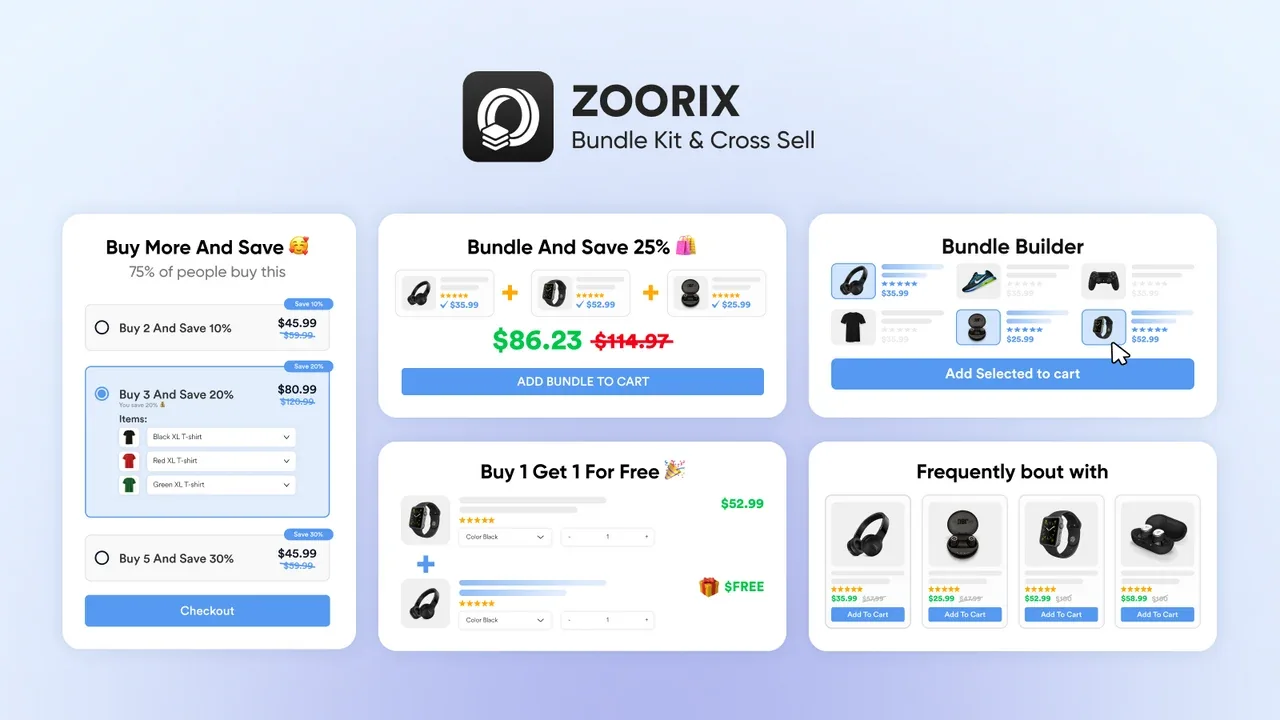
Bundles and cross-sell together on a free-forever base tier. Zoorix combines bundle features with cross-sell and upsell, which can replace two apps for a smaller store, and it is the lowest entry price in this set.
- Best for: cost-conscious stores wanting bundles plus cross-sell in one install.
- Not ideal for: stores that already run dedicated upsell tools and want to avoid overlap.
Features
- Formats: fixed, mix-and-match, variant, upsell, cross-sell, FBT; volume and quantity breaks, BOGO.
- Cart upsell, sticky cart, one-click add-ons and AI recommendations.
- Rated 4.9 stars from 389 reviews.
Pricing
Free forever with all features, keeping app branding. Paid tiers remove branding and scale with Zoorix-generated revenue: Basic $7.99/month ($100-$200), Growth $14.99/month ($200-$400), Premium $29.99/month ($400-$800), each with a 30-day trial.
11. Essential Upsell & Cross Sell
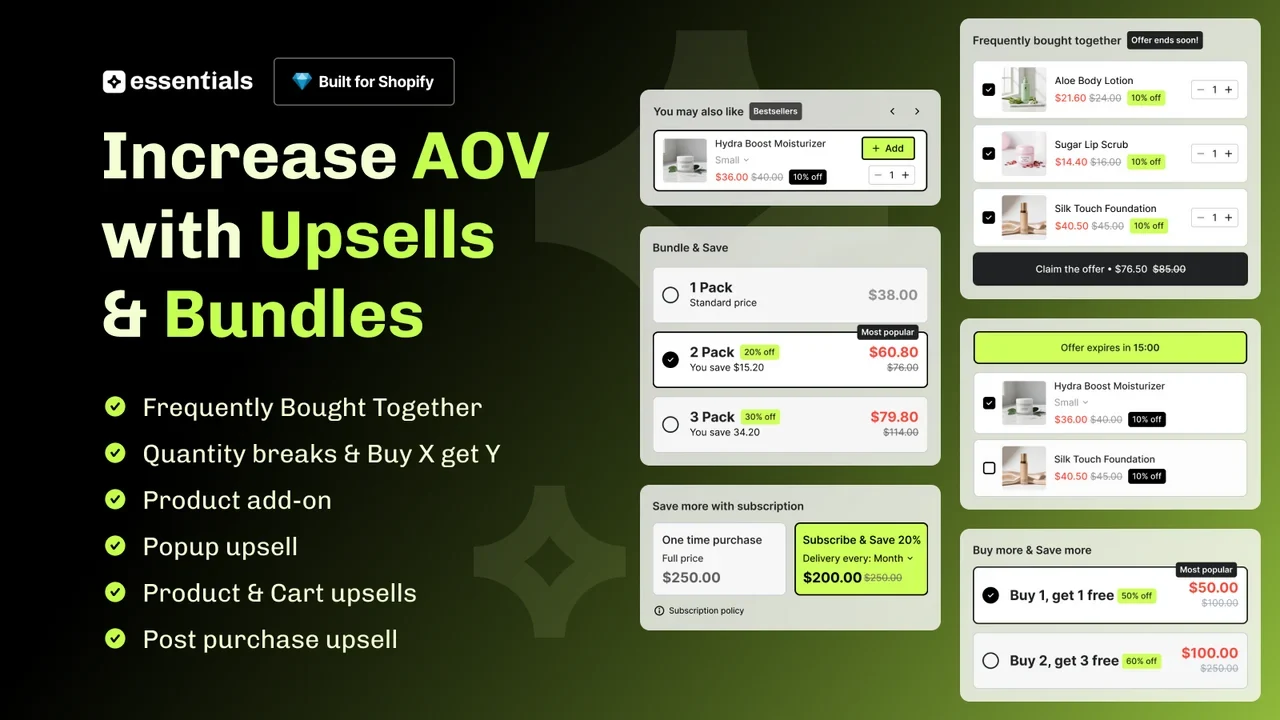
An upsell and cross-sell app offering frequently bought together bundles, related products and add-ons. Essential Upsell & Cross Sell by Essential Bundles & Upsells displays offers on product pages, in the cart, and after purchase. It is intended for promotional product combinations, not a replacement for component-level inventory or warehouse bundle management.
- Best for: Shopify stores that want frequently bought together bundles, cart add-ons and post-purchase upsell offers.
- Not ideal for: stores requiring a dedicated build-a-box builder or bundle component inventory splitting.
Features
- Formats: frequently bought together bundles, related products, product add-ons and buy-X-get-Y offers.
- Display placements: product page, cart drawer, and post-purchase offers. Offer options vary by tier.
- Additional features: one-click upsells, automatic promotions, analytics and translations.
- Shopify currently lists the app as Built for Shopify with a 5.0-star rating; review counts can change.
Pricing
A free plan covers up to $100 in additional revenue generated monthly. Paid plans listed on Shopify are Starter at $9.99/month (up to $500 generated), Essential at $19.99/month (up to $1,000), and Professional at $39.99/month (unlimited). Paid plans list a 14-day free trial. Check current pricing on the Shopify App Store.
12. Pumper Bundles Quantity Breaks
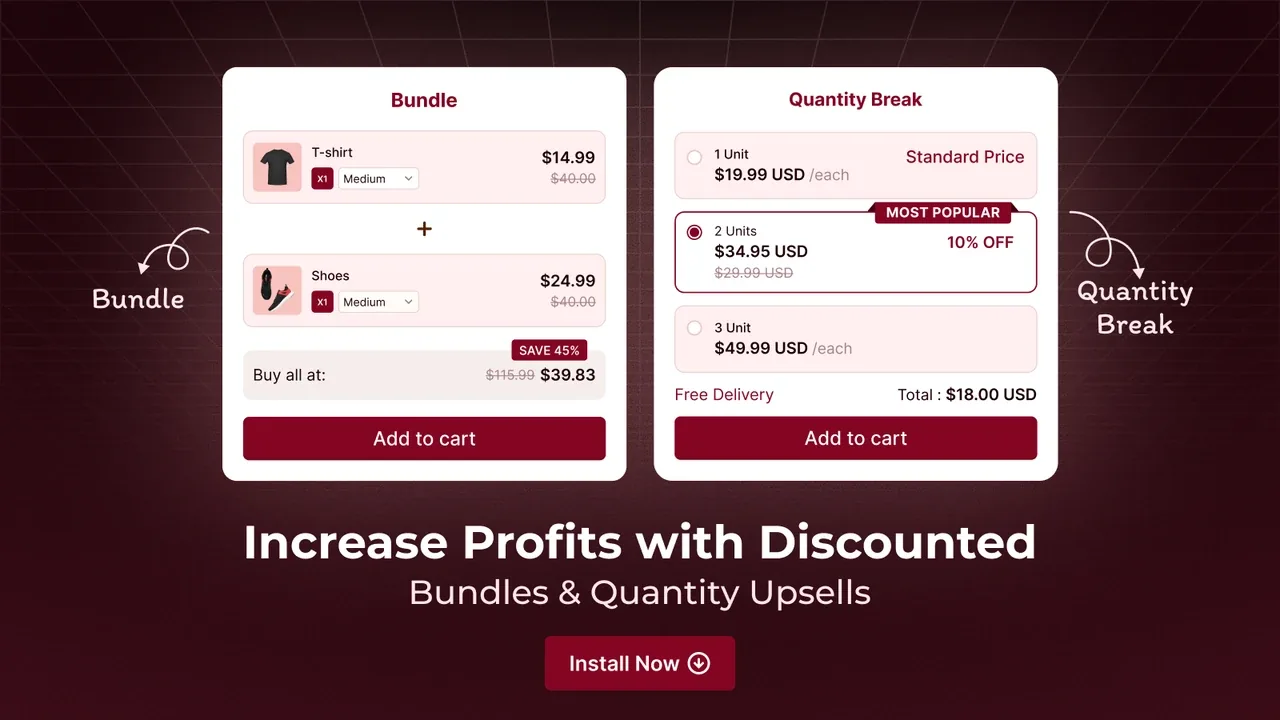
A low-cost specialist in quantity breaks and volume discounts. Pumper does one job and is chosen precisely because it does not try to be a full suite, with a large review base behind it.
- Best for: consumable and multipack stores whose main offer is “buy more, save more.”
- Not ideal for: build-a-box, curated kits or operations-heavy fulfillment.
Features
- Formats: fixed, multipack, sample packs, upsell, cross-sell, custom; quantity-break and volume focus.
- Works with page builders and cart drawers, with 24/7 chat support.
- Rated 4.9 stars from 3,560 reviews.
Pricing
Free up to $300 in app-generated revenue. Starter $9.99/month up to $1,000, Growth $29.99/month up to $5,000, Unlimited $49.99/month with no cap, each with a 7-day trial.
13. Unlimited Bundles & Discounts
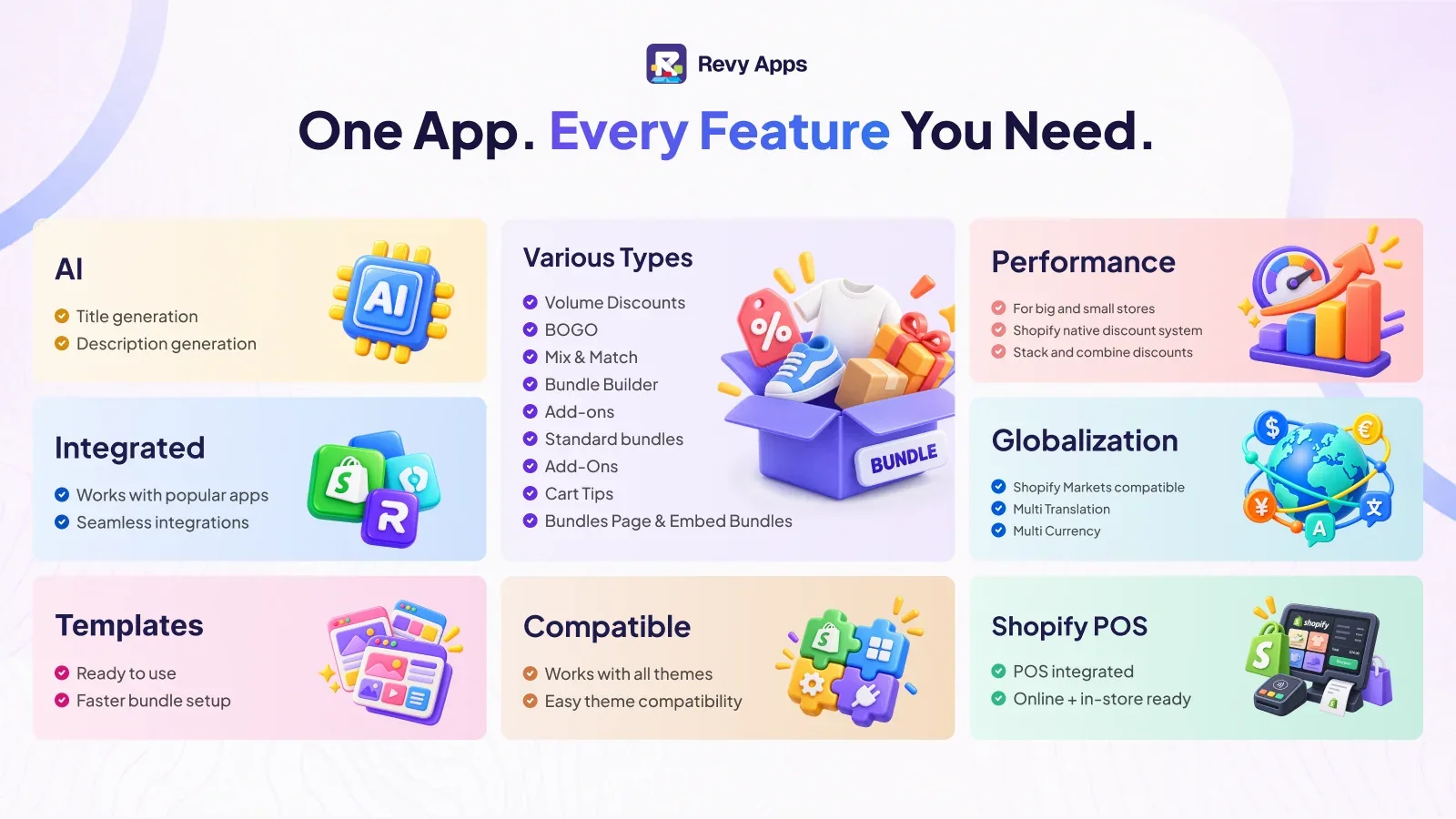
A flat-fee way to create discounted bundles without revenue-based pricing. This app, by Revy, keeps a predictable monthly cost rather than scaling with the revenue it generates, which suits stores that dislike usage fees.
- Best for: stores wanting mix-and-match or discounted bundles on a flat, predictable fee.
- Not ideal for: merchants who need deep 3PL-ready component line items.
Features
- Formats: fixed, multipack, mix-and-match, variant, build-a-box, gift boxes, BOGO, Buy X Get Y, free gifts, quantity breaks, volume and tiered discounts.
- Shopify Markets, multi-currency and multi-language, customer targeting by tag or login state, Shopify POS.
- Rated 4.8 stars from 725 reviews.
Pricing
Free until bundle sales reach $100. Then a flat fee by Shopify plan: Flat Basic $9.99/month, Flat Professional $19.99/month, Flat Unlimited $29.99/month, with the same feature set across the three.
14. Easy Bundles: Bundle Builder
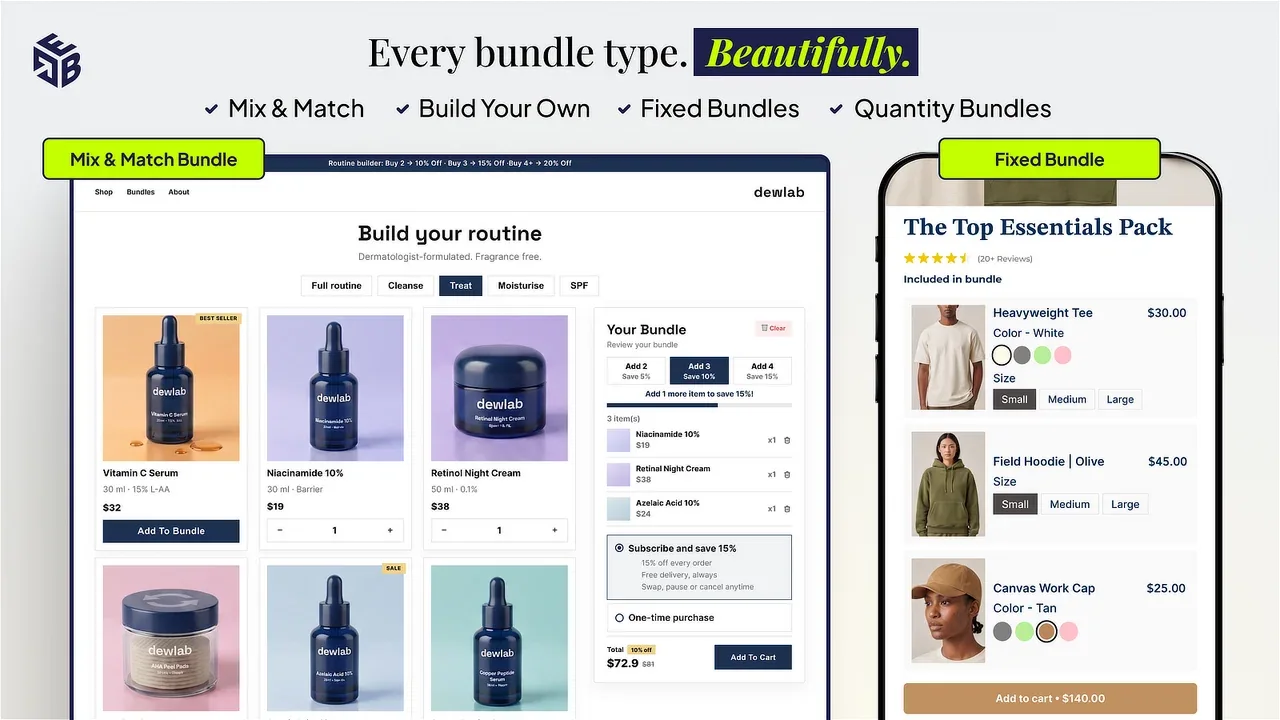
A build-your-own-box specialist, by Skai Lama, for curated, customer-assembled bundles. Easy Bundles is aimed at merchants whose signature offer is “pick any X from this collection,” with landing-page and subscription options higher up.
- Best for: build-a-box merchandising on standard Shopify plans, from snack boxes to starter sets.
- Not ideal for: Shopify Plus or Advanced stores, which the free plan excludes, or a store needing only a single fixed kit.
Features
- Formats: fixed, multipack, mix-and-match, variant, infinite option, build-a-box, gift boxes, sample packs, subscription, wholesale, upsell, cross-sell, custom.
- Single and multistep bundle builders, independent landing-page templates, subscription bundles on higher tiers.
- Rated 4.9 stars from 1,436 reviews.
Pricing
Free up to $500 in monthly bundle sales, not available on Shopify Plus or Advanced plans. Essential $29/month up to $3,000, Growth $49/month up to $5,000, Scale $99/month up to $10,000, each with a 15-day trial.
15. Bundles.app - Inventory Sync
An inventory-first app, by Gazebo, built for Plus and high-order-volume stores. Bundles.app centers on keeping component stock accurate across a bundle catalog, with plans tiered by order volume rather than by bundle revenue.
- Best for: Shopify Plus and high-order-volume stores that need reliable bundle inventory sync.
- Not ideal for: a small store wanting a free plan, since the entry plan is paid.
Features
- Formats: fixed, multipack, mix-and-match, variant, gift, mystery and subscription boxes, wholesale.
- Real-time inventory sync, multi-location, SKU support and automatic order processing; private servers on the top tiers.
- Rated 4.9 stars from 323 reviews.
Pricing
No free plan; all plans include a 15-day trial. Shopify shops $19/month for non-Plus stores, then Plus tiers by order volume: $39/month up to 30K orders, $99/month for 30K-100K, $199/month above 100K.
What are Shopify bundle apps?
A Shopify bundle app lets you sell several products together as one purchasable offer, usually at a combined price or discount. The important distinction is what happens behind the offer.
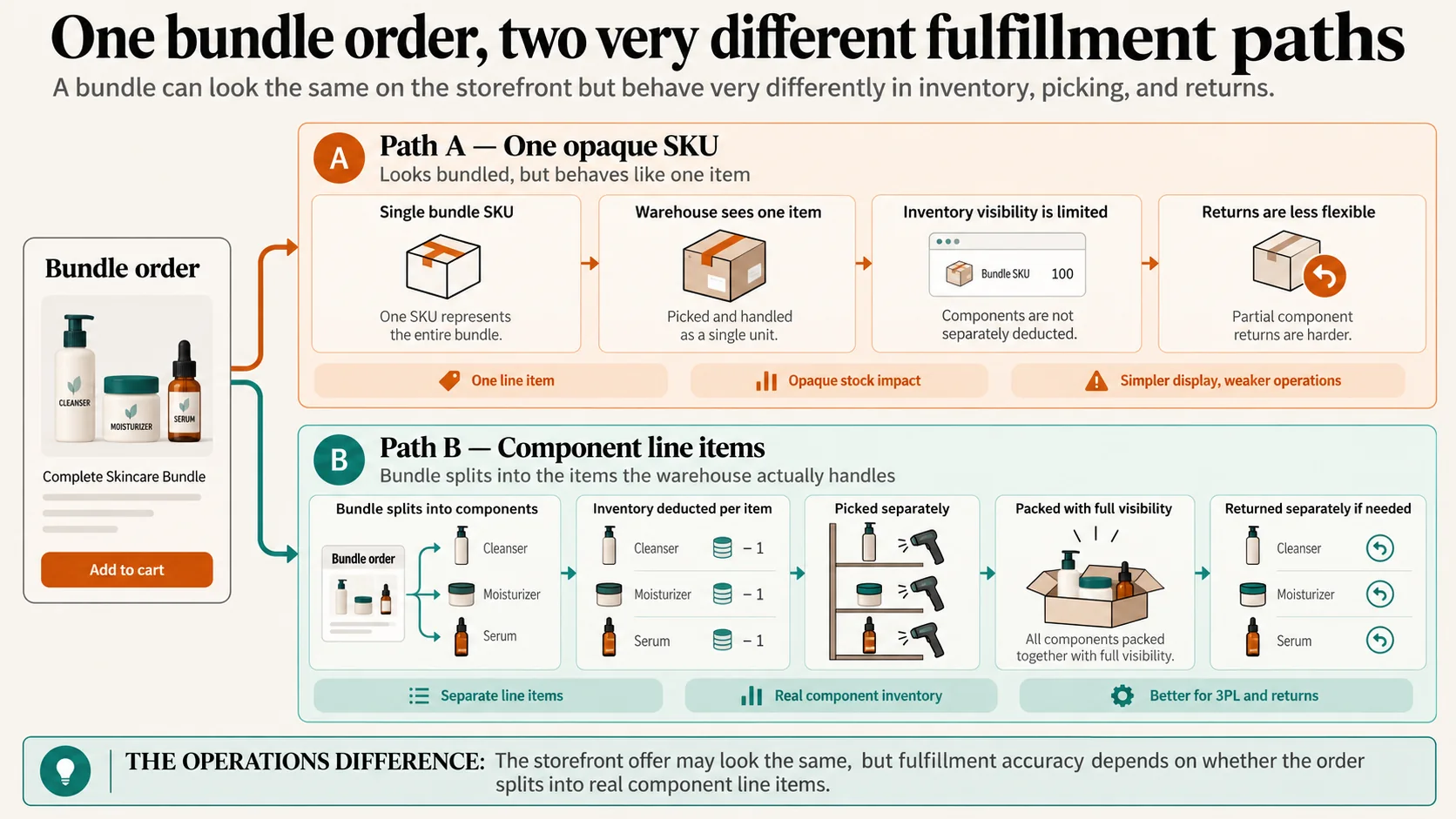
A true bundle creates a product that is made of components. When it sells, each component is deducted from inventory and, with the right app, the order splits into separate line items so your warehouse picks the actual products. A promotional grouping, by contrast, just discounts a set of items added to the cart. Both can raise average order value. Only one keeps your stock counts and fulfillment honest.
Average order value, or AOV, is the average amount a customer spends per order. Bundles raise it by moving more units per checkout. That is worth doing, but AOV alone does not tell you whether the bundle made money, which is why the profitability section matters as much as the app choice.
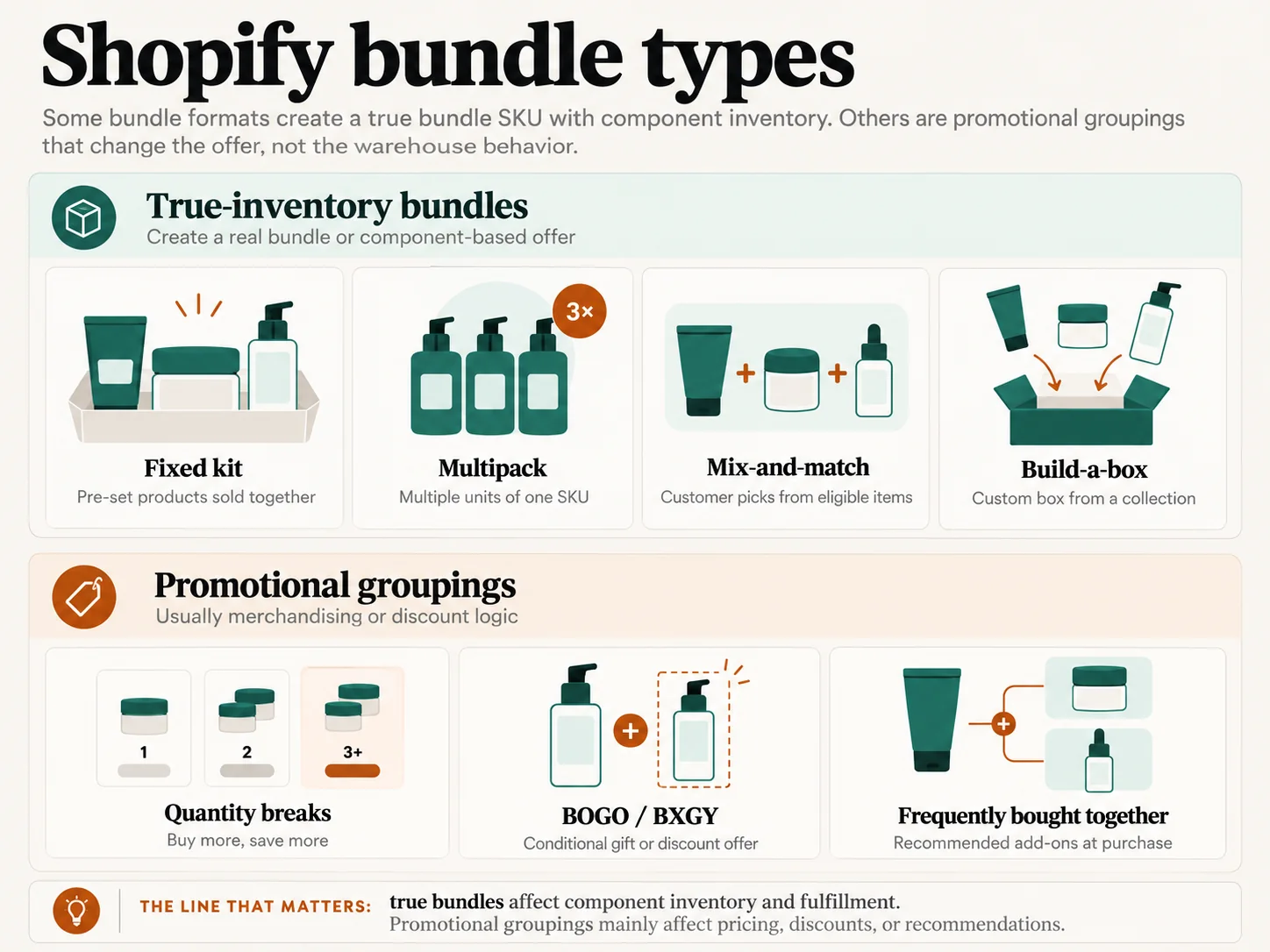
Types of Shopify bundles
Pick the format before the app, because most apps are strong at some formats and weak at others.
- Fixed kit: a set group of products sold as one, like a three-step skincare routine. The simplest format and the one the native app handles.
- Multipack: several units of the same product, such as a six-pack of a single SKU.
- Mix-and-match: the customer chooses from eligible products, often with a bundle discount applied.
- Build-a-box: the customer assembles a box from a collection, like “pick any five.” A heavier flow that stresses inventory logic.
- Quantity breaks: price drops as quantity rises, the classic “buy more, save more.”
- BOGO and BXGY: buy one get one, or buy X get Y, usually as a promotion rather than a stocked kit.
- Free gift: a gift added above a spend threshold.
- Frequently bought together (FBT): recommended add-ons shown at the product page or cart.
- Subscriptions: a bundle sold on a recurring schedule, which depends on your subscription app.
The line that trips merchants up: FBT widgets and recommendation tools look like bundles but often do not create a bundle SKU with real component inventory. If fulfillment accuracy matters, confirm whether an app builds a true bundle or just groups items visually.
Shopify Bundles vs third-party apps
The native app is free and competent within its limits. The decision is whether your needs stay inside those limits. The native column below is from Shopify’s own Help Center, checked 21 October 2026.
| Capability | Shopify Bundles (native) | Typical third-party app |
|---|---|---|
| Price | Free on every plan | $8 to $30/month to start, often revenue-capped |
| Fixed kits and multipacks | Yes | Yes |
| Mix-and-match / build-a-box | No | Often yes |
| Quantity breaks / BOGO | No | Often yes |
| Component inventory deduction | Yes | Varies by app |
| Order splits into component line items | No | Yes on operations-first apps (Simple Bundles, Bundles.app) |
| 3PL / multi-location | Not location-specific | Yes on operations-first apps |
| Subscriptions | Via your subscription app | Varies by app |
| Custom storefront / bundle page | Limited | Often yes |
| Component limits | Up to 30 (fixed), 3 options, 100 variants | Higher or none |
| Automatic price updates | Manual | Varies by app |
Pro tip: If the only reason you are considering a paid app is a single missing feature, write that feature down and check it against the native app’s documentation first. Merchants routinely pay monthly to solve a problem the free app already handles, or to gain a feature they will never actually use.
How to choose a bundle app
Work through these in order. The first two questions eliminate most of the list before price ever enters the picture.
- What bundle format do you need? Fixed kit and multipack can stay native. Mix-and-match, build-a-box, quantity breaks and BOGO push you to a third-party app that specializes in that format.
- Do components need to appear separately to your warehouse, 3PL, returns system or ERP? If yes, you need true component line items, which narrows the field sharply toward operations-first apps like Simple Bundles and Bundles.app.
- Is the native Shopify Bundles app already enough? Check before paying. For many stores it is.
- What will the app cost at your expected monthly bundle revenue? Most paid plans are capped by revenue, so compare at $1k, $3k and $10k a month, not at the entry rate.
- Do you need a free plan on a live store? If so, rule out the development-only free tiers (Fast Bundle, Kaching, Wide Bundles) and look at Bundler, Zoorix, BOGOS, Essential Upsell & Cross Sell, Pumper or Unlimited Bundles.
- Where should the offer appear? Product page, a dedicated bundle page, or the cart. Different apps are built for different placements.
- Run one real mobile checkout with discounts, inventory and taxes applied, and watch what happens to the line items and the stock count.
Pro tip: Install your shortlist on a development store or during a trial and place a test order that you then refund. The refund path, not the product page, is where mismatched apps reveal themselves, because that is when inventory has to go back to the right component.
Which bundle apps fit your type of store
The same app is a great choice for one catalog and a poor one for another. Match by what you sell.
- Skincare and beauty: routine kits (cleanser, moisturizer, serum) and starter sets. These components often run out at different speeds, which matters later for reordering. Fixed-kit apps work; for “pick your routine,” a mix-and-match or build-a-box tool like Simple Bundles or Easy Bundles fits.
- Supplements: multipacks and subscriptions dominate, so quantity-break apps like Pumper or Bundler and solid subscription-app compatibility matter most.
- Coffee and food: build-a-box and sampler sets, where a build-a-box specialist earns its keep and inventory logic is stressed hardest.
- Apparel: outfit bundles and mix-and-match, where variant handling and size/color options are the test.
- Gifts and gift boxes: curated fixed kits with packaging considerations, where component line items help the warehouse pack correctly.
- Multi-location and wholesale/3PL: fulfillment accuracy outranks storefront polish, so operations-first apps with true component splitting, Simple Bundles and Bundles.app, lead.
How to create your first Shopify bundle
The mechanics are quick. The testing is where the value is.
- Choose the products and the format. Start with one clear offer, not five.
- Install the app or open the native Shopify Bundles app.
- Map the SKUs so the bundle knows its components.
- Set the discount and the bundle price.
- Publish to the product page or bundle page.
- Place a real test order on mobile, then check the cart, checkout, taxes and the confirmation.
- Refund the test order and confirm each component returns to stock correctly.
- Check analytics so you can measure the offer, not guess at it.
Use screenshots from your own reproducible test if you document the process publicly, rather than borrowing vendor images.
What Shopify bundle apps cost
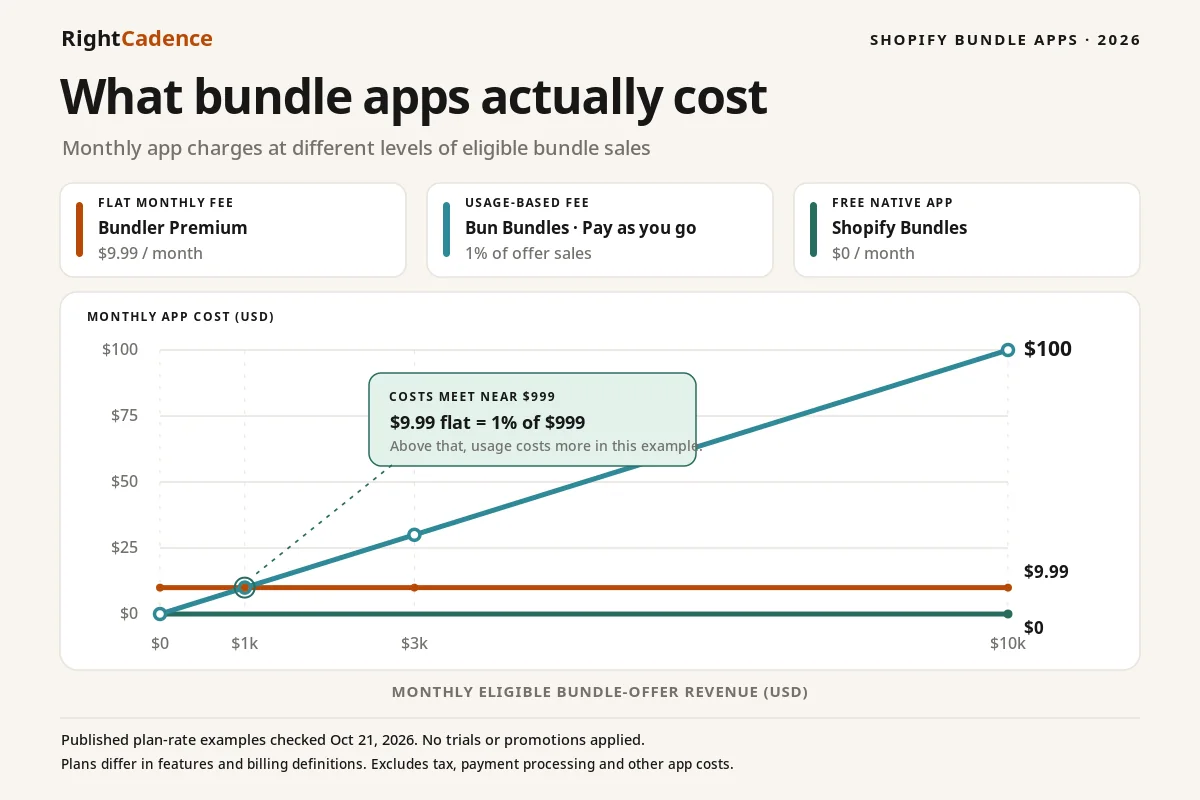
Sticker price is the wrong number to compare. Most paid bundle apps charge by the revenue they generate, so the entry rate buys only the first slice of bundle sales. The table below uses the verified starting plans to show how the same store pays very differently depending on the app’s model.
| Monthly bundle revenue | Native | Flat-fee example (Unlimited Bundles) | Revenue-capped example (Kaching) |
|---|---|---|---|
| $0 (just launched) | Free | Free under $100 sales | Free on dev store; paid once live |
| $1,000 | Free | $9.99 (flat) | $14.99 (Starter, to $1k) |
| $3,000 | Free | $9.99 (flat) | $29.99 (Scale, to $5k) |
| $10,000 | Free | $9.99 (flat) | $59.99 (Pro, to $10k) |
The pattern holds across the set: flat-fee apps like Unlimited Bundles and Bundles.app stay level as you grow, while revenue-capped apps like Fast Bundle, Kaching, Pumper and the Skai Lama tiers step up with sales. At low volume the revenue-capped apps are cheaper; past a few thousand dollars a month, a flat fee usually wins.
Pro tip: A “free” plan that only works on development stores is not free for you once you go live. Fast Bundle, Kaching and Wide Bundles all gate their free tier to development stores, so budget for the paid plan from launch.
How to measure bundle profitability
A bundle that raises average order value can still lose you margin. Measure the margin, not the headline revenue.
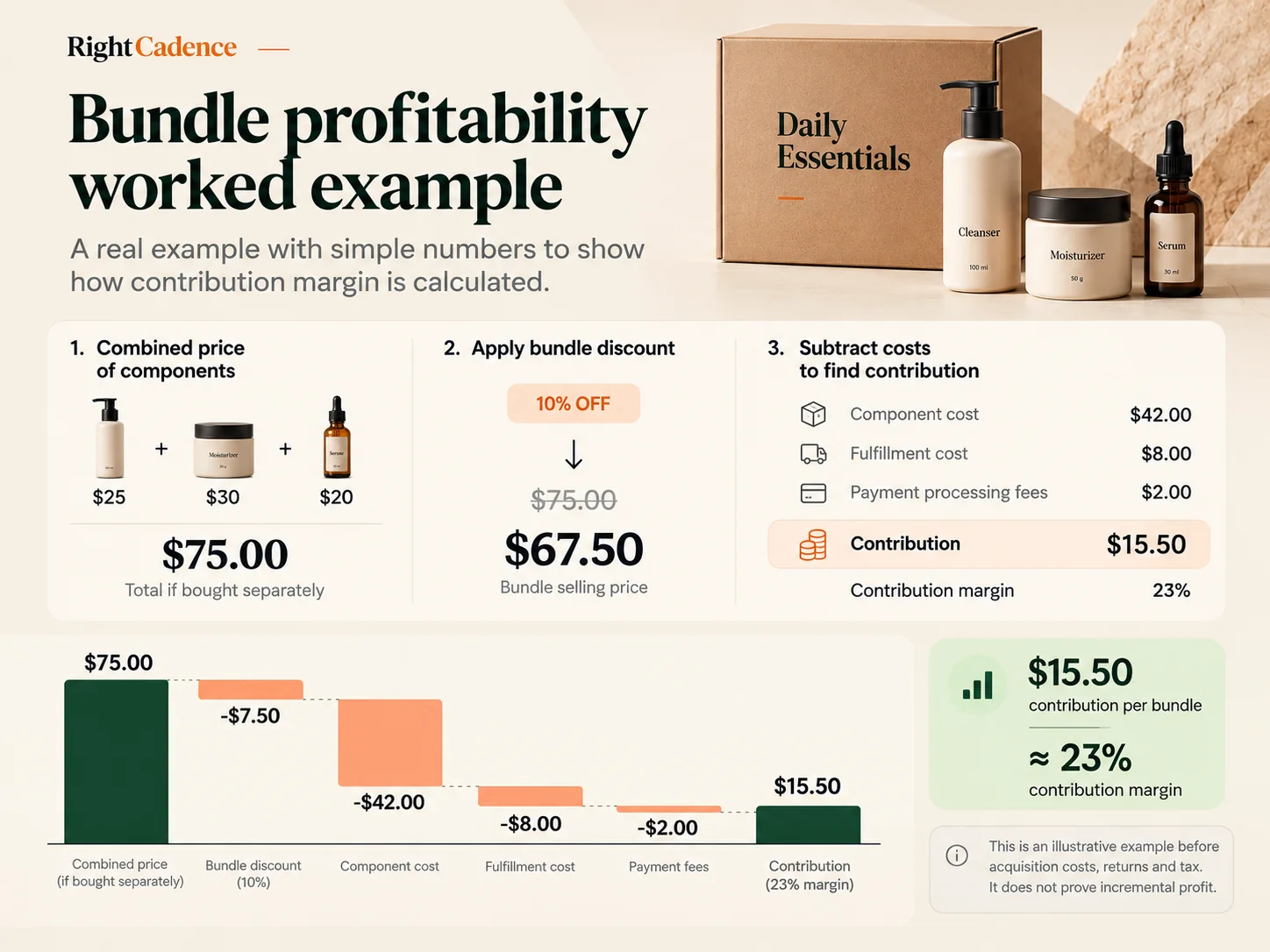
Here is an illustrative example, with explicit assumptions. Three products sell individually for $25, $30 and $20, $75 combined. A 10% bundle discount sets the price at $67.50. Assume component cost of $42, fulfillment of $8 and payment fees of $2. Contribution before customer acquisition, returns, fixed costs and tax is $15.50, about 23% of bundle revenue.
That number is not proof of profit. It has to be compared against what the same customer would have bought anyway. If they would have purchased two of those products at full price, the bundle may have cost you margin to sell a third item at a discount.
Attributed bundle revenue is not revenue caused by bundling. The only clean way to know is a holdout or a controlled A/B test, comparing margin, product mix, conversion rate and return rate between customers who saw the bundle and those who did not. A revenue gain paired with a deeper discount can quietly shrink contribution margin.
How to turn bundle customers into repeat buyers
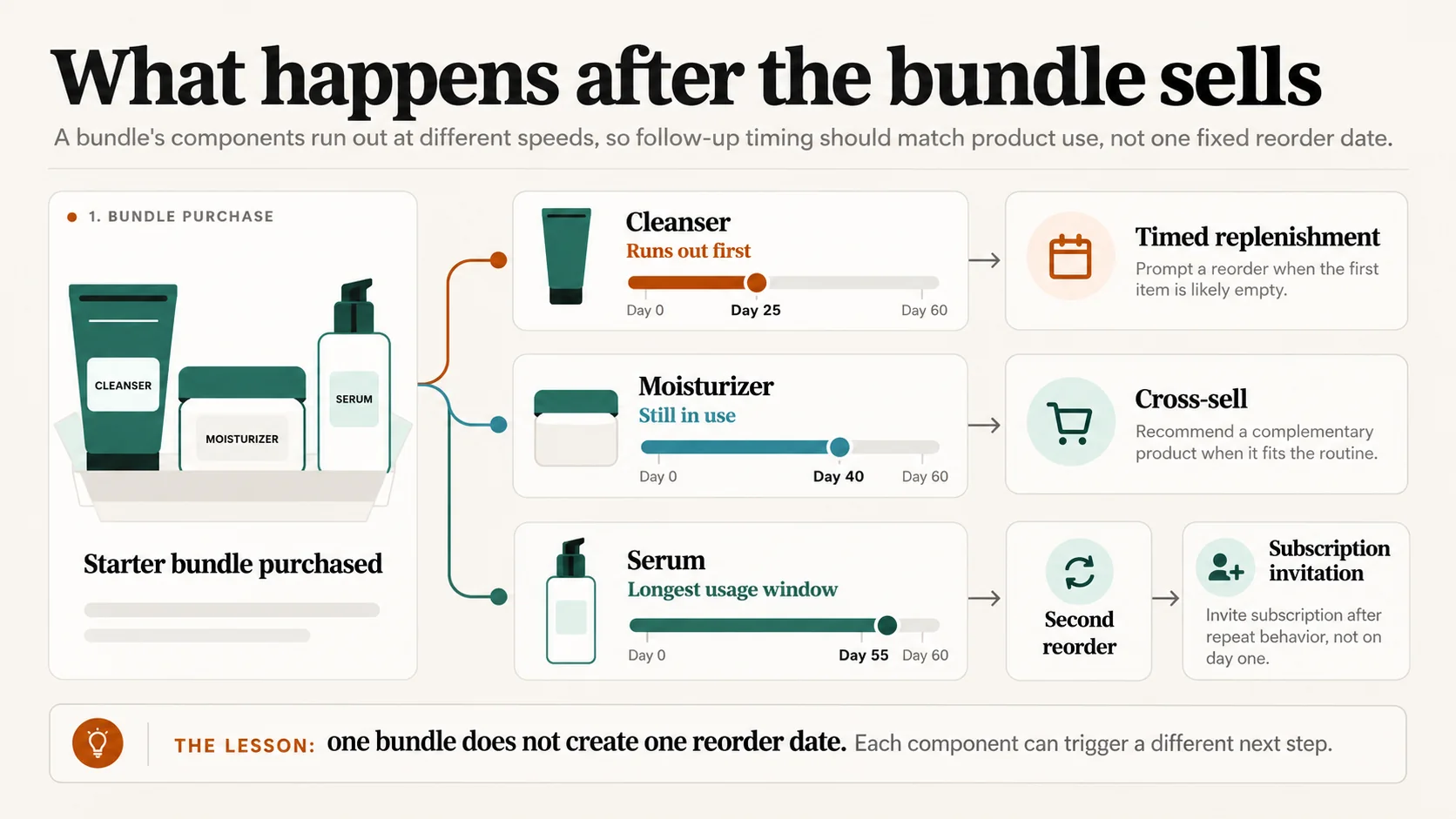
Building the bundle solves the first checkout. For replenishable products, the next problem is when and what the customer should buy again, and no bundle-builder app answers that.
The timing is harder than it looks. A skincare starter bundle might contain a cleanser, a moisturizer and a serum that run out on different schedules. A single “reorder in 30 days” rule reorders the whole kit when only the cleanser is empty, which feels wrong to the customer and trains them to ignore the message. The useful signal is each component’s real consumption pace, not a generic day count.
That means three different follow-ups for the same bundle customer, depending on behavior: a timed replenishment prompt for the product that actually runs out first, a relevant cross-sell when a complementary product fits, and a subscription invitation for the customer who has now reordered twice. Measuring it needs repeat purchase rate, time to next order and second-product adoption, tracked by cohort rather than in aggregate.
A skincare starter bundle may contain products that run out on different schedules, so one fixed reorder date suits none of them. RightCadence uses purchase behavior to identify replenishment, lapse, cross-sell and subscription moments after the first order, and connects to the email and SMS tools you already run. It does not build bundles and does not replace the bundle-building app; it works on the order that comes after the bundle.
To go deeper on the measurement side, see repeat purchase rate and how to get customers to reorder, which covers the cohort metrics named above, and why Shopify CPG brands lose revenue between orders, which explains the lifecycle-timing gap that a fixed reorder rule creates. If your bundles sell on a recurring schedule, how subscription apps compare on cost and fit is the companion to the subscription points above. And when the follow-up is a complementary product rather than a reorder, how to increase your cross-sell rate covers the post-purchase case directly.
FAQ
What is the best free Shopify bundle app?
The free native Shopify Bundles app is the best starting point for most stores, because it creates fixed kits and multipacks with real inventory deduction at no cost on every Shopify plan. Among third-party apps, Bundler offers the strongest genuine free tier for a live store, with no revenue cap, while Zoorix is free forever with app branding. Confirm each app’s free terms before relying on them.
Is the native Shopify Bundles app enough on its own?
For fixed kits and multipacks, it often is. Shopify Bundles handles those formats natively and deducts component inventory, which covers a large share of merchants. You need a third-party app once you require mix-and-match, build-a-box, quantity breaks, BOGO or automatic component price updates, none of which the native app provides. Its documented limits are 30 components, 3 options and 100 variants per bundle.
Which bundle apps have a free plan that works on a live store?
Bundler, Zoorix, BOGOS, Simple Bundles, Essential Upsell & Cross Sell, Pumper, Unlimited Bundles and Easy Bundles all offer free tiers usable on a live store, though most cap bundle sales or orders. Fast Bundle, Kaching and Wide Bundles offer a free plan only on development stores, so a live store pays from the start. Easy Bundles also excludes Shopify Plus and Advanced from its free tier.
Do bundle apps sync inventory correctly?
True bundle apps deduct each component from stock when the bundle sells, but behavior varies and some tools only group items visually without component-level tracking. For multi-location or 3PL fulfillment, operations-first apps such as Simple Bundles and Bundles.app create real component line items and respect location-level inventory. Test a full order and refund to see how stock moves before committing.
Why do bundle apps charge by revenue instead of a flat fee?
Most paid bundle apps price by the extra revenue they generate, so the starting plan covers only the first slice of bundle sales, often up to $1,000 a month. The effect is that the cheap entry rate rises as your bundle sales grow. Flat-fee apps like Unlimited Bundles and Bundles.app stay level instead, which usually works out cheaper past a few thousand dollars a month in bundle revenue.
Will a bundle order split for returns and fulfillment?
With an operations-first app that uses component line items, yes, so the warehouse picks and returns the actual products. Apps that treat the bundle as a single opaque SKU, or that only apply a cart discount, may not split cleanly, which complicates partial returns and refunds. This is the single most important thing to test if you fulfill through a 3PL.
Where to start
Pick your format, check whether the free native app already covers it, and only then shortlist two or three third-party apps to test against a real mobile checkout and refund. Match the app to your catalog and your fulfillment setup rather than to any ranking, including this one. When the first bundle has sold and your products are the kind customers reorder, the next decision is about timing the second order, which is a separate problem with its own tools.
Editorial note: App promotional images were supplied for this article; they are not independent app tests or demonstrations of current features. The Essential Upsell & Cross Sell image is now a locally embedded WebP, like the other supplied graphics. App prices and ratings may change; check current official listings before publishing or purchasing.